PropConverter-V 2.0.0


![GTFP Add-On Vehicle Scanner [BETA] [Windows - New]](https://img.gta5-mods.com/q75-w500-h333-cfill/images/gtfp-add-on-vehicle-scanner-beta-windows-new/264c0d-Screenshot.1.png "GTFP Add-On Vehicle Scanner [BETA] [Windows - New]")


947
23
947
23
PropConverter-V
Add-on for automatic conversion of props to GTA V with integrated Vertex Color Master tools.
Github repositorie
https://github.com/LN-Development/PropConverter-V
HOW TO USE
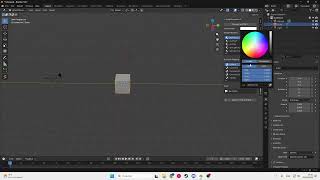
Import a Mesh, select it, change the vertex color, select collision and shader materials then click to convert, after it remember to set the textures on the drawable model.
All the names will be as the original mesh.
YTYP, YDR and YTD.
You need to create a YTD with the same name as in the others.
Dependencies
Sollumz 2.8.0
Installation
CHANGELOG
1.2.2
- Fixed some bugs that broke the tool
- Code refactor
1.2.1
Fixed a bug that broke the tool
1.2.0
Collision Flag Selection before conversion
Collision Flag Default preset
Added a integrity improves on loggin
Multi languange support (EN, BR and SPA)
TO-DO
Credits
Sollumz
CodeWalker
License
Copyright (C) 2026 LN
This program is free software: you can redistribute it and/or modify it under the terms of the GNU General Public License as published by the Free Software Foundation, either version 3 of - Big objects auto divider and converter with non embedd collision
Auto Ambient Occlusion be useful, but WITHOUT ANY WARRANTY. Without even the implied warranty of MERCHANTABILITY or FITNESS FOR A PARTICULAR PURPOSE. See the GNU General Public License for more details.
You should have received a copy of the GNU General Public License along with this program. If not, see https://www.gnu.org/licenses/.
Add-on for automatic conversion of props to GTA V with integrated Vertex Color Master tools.
Github repositorie
https://github.com/LN-Development/PropConverter-V
HOW TO USE
Import a Mesh, select it, change the vertex color, select collision and shader materials then click to convert, after it remember to set the textures on the drawable model.
All the names will be as the original mesh.
YTYP, YDR and YTD.
You need to create a YTD with the same name as in the others.
Dependencies
Sollumz 2.8.0
Installation
- 1. Do not extract the .zip file after download.
- 2. Open Blender.
- 3. Go to Edit > Preferences > Add-ons > Install from Disk.
- 4. Locate the add-on directory and select the .zip file.
- 5. Install and restart Blender.
CHANGELOG
1.2.2
- Fixed some bugs that broke the tool
- Code refactor
1.2.1
Fixed a bug that broke the tool
1.2.0
Collision Flag Selection before conversion
Collision Flag Default preset
Added a integrity improves on loggin
Multi languange support (EN, BR and SPA)
TO-DO
- Big objects auto divider and converter with non embedd collision
- Auto Ambient Occlusion
Credits
Sollumz
CodeWalker
License
Copyright (C) 2026 LN
This program is free software: you can redistribute it and/or modify it under the terms of the GNU General Public License as published by the Free Software Foundation, either version 3 of - Big objects auto divider and converter with non embedd collision
Auto Ambient Occlusion be useful, but WITHOUT ANY WARRANTY. Without even the implied warranty of MERCHANTABILITY or FITNESS FOR A PARTICULAR PURPOSE. See the GNU General Public License for more details.
You should have received a copy of the GNU General Public License along with this program. If not, see https://www.gnu.org/licenses/.
Primo Caricamento: 11 gennaio 2026
Ultimo Aggiornamento: 22 febbraio 2026
Last Downloaded: 6 hours ago
12 Commenti
PropConverter-V
Add-on for automatic conversion of props to GTA V with integrated Vertex Color Master tools.
Github repositorie
https://github.com/LN-Development/PropConverter-V
HOW TO USE
Import a Mesh, select it, change the vertex color, select collision and shader materials then click to convert, after it remember to set the textures on the drawable model.
All the names will be as the original mesh.
YTYP, YDR and YTD.
You need to create a YTD with the same name as in the others.
Dependencies
Sollumz 2.8.0
Installation
CHANGELOG
1.2.2
- Fixed some bugs that broke the tool
- Code refactor
1.2.1
Fixed a bug that broke the tool
1.2.0
Collision Flag Selection before conversion
Collision Flag Default preset
Added a integrity improves on loggin
Multi languange support (EN, BR and SPA)
TO-DO
Credits
Sollumz
CodeWalker
License
Copyright (C) 2026 LN
This program is free software: you can redistribute it and/or modify it under the terms of the GNU General Public License as published by the Free Software Foundation, either version 3 of - Big objects auto divider and converter with non embedd collision
Auto Ambient Occlusion be useful, but WITHOUT ANY WARRANTY. Without even the implied warranty of MERCHANTABILITY or FITNESS FOR A PARTICULAR PURPOSE. See the GNU General Public License for more details.
You should have received a copy of the GNU General Public License along with this program. If not, see https://www.gnu.org/licenses/.
Add-on for automatic conversion of props to GTA V with integrated Vertex Color Master tools.
Github repositorie
https://github.com/LN-Development/PropConverter-V
HOW TO USE
Import a Mesh, select it, change the vertex color, select collision and shader materials then click to convert, after it remember to set the textures on the drawable model.
All the names will be as the original mesh.
YTYP, YDR and YTD.
You need to create a YTD with the same name as in the others.
Dependencies
Sollumz 2.8.0
Installation
- 1. Do not extract the .zip file after download.
- 2. Open Blender.
- 3. Go to Edit > Preferences > Add-ons > Install from Disk.
- 4. Locate the add-on directory and select the .zip file.
- 5. Install and restart Blender.
CHANGELOG
1.2.2
- Fixed some bugs that broke the tool
- Code refactor
1.2.1
Fixed a bug that broke the tool
1.2.0
Collision Flag Selection before conversion
Collision Flag Default preset
Added a integrity improves on loggin
Multi languange support (EN, BR and SPA)
TO-DO
- Big objects auto divider and converter with non embedd collision
- Auto Ambient Occlusion
Credits
Sollumz
CodeWalker
License
Copyright (C) 2026 LN
This program is free software: you can redistribute it and/or modify it under the terms of the GNU General Public License as published by the Free Software Foundation, either version 3 of - Big objects auto divider and converter with non embedd collision
Auto Ambient Occlusion be useful, but WITHOUT ANY WARRANTY. Without even the implied warranty of MERCHANTABILITY or FITNESS FOR A PARTICULAR PURPOSE. See the GNU General Public License for more details.
You should have received a copy of the GNU General Public License along with this program. If not, see https://www.gnu.org/licenses/.
Primo Caricamento: 11 gennaio 2026
Ultimo Aggiornamento: 22 febbraio 2026
Last Downloaded: 6 hours ago
 5mods on Discord

I think im gonna need a video to understand what you mean, Because im thinking that this just makes me have a new addon for something that i can already perform with sollumz. Its a potentially good dev tool but, i dont seem to see the need for it. Unless maybe im missing something
@V3ST3R19 It's a tool that mostly aim to help beginners, since it do mostly of the conersion. I already posted a video and will embedd it here.
@V3ST3R19 Also the most recent video is already outdated since it was done for 1.0.0 first release and not is already on 1.1.2
@V3ST3R19 Added the video, i'm currently traveling so i can't record one for the most recent release.
@LN_Dev Thank you for your tool. You say it is for beginners yet personally as a beginner your tool has zero value without a tutorial. Your video is aimed for experts who ironically don't need your tool. Here are some questions which might be useful for myself and other beginners.
1. What GTA Vmeshes are compatible. Is it only ydr? Can you do yft?
2. Which external meshes can you load? Fbx, obj, etc
3. If an external mesh comes with textures, how do we add them to ensure we have a proper ytd
4. Can you explain why you would change the vertex colour?
5. Can you explain the different shaders?
6. Can you confirm what the collision material does. Is it for physics?
I would love to start some 3D modelling and its great to have tools like this. However beginners need to have their hand helds and all the videos i've seen on blender and sollumz are pretty much useless garbage for noobs.
@Churchill234234 As soon i end my travel i will record a complete tutorial.
Yes, I'm also waiting for the tutorial, thanks.
@LN_Dev So I upgraded Blender to Blender 5, installed your tool and latest Sollumz release. Followed the video steps. Packaged in the ydr and the ytp in a dlc.rpf (I know how to create addons), entry in dlclist.xml, from Menyoo spawn object:
Error invalid model. Check location....etc
this is the simple cube from the video, exported as Gen 8 and failed in Legacy (legal Steam version)
@Churchill234234 Please join the discord on the github repo of the tool so i can help you
@marculu I'm updating the tool a bit before releasing a new video.
@LN_Dev ok thank you
im keen to give this a try. Will wait for a proper tutorial first but my understanding of this lets me acutally do what ive been wanting to do. Anything beginner friendly is greatly appreciated!