
![Stockless Assault Rifle [Replace]](https://img.gta5-mods.com/q75-w500-h333-cfill/images/stockless-assault-rifle/0889cc-GTA5_2022_11_26_22_57_43_463.png "Stockless Assault Rifle [Replace]")

40.215
450
40.215
450
Information:
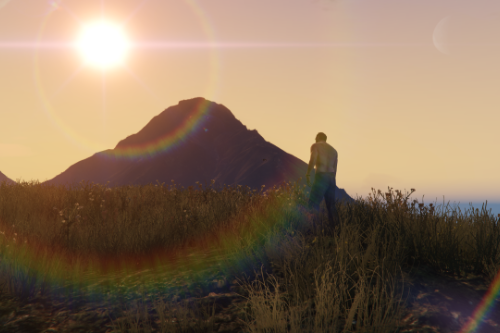
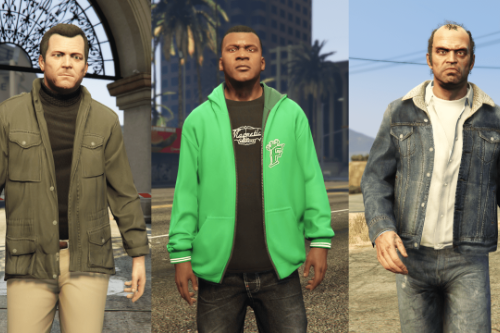
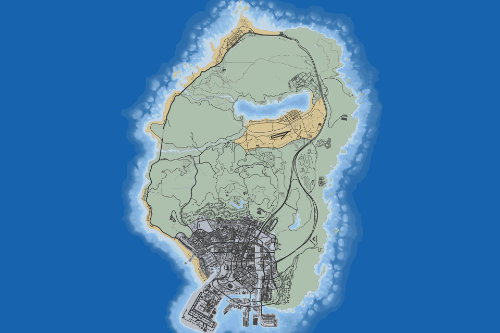
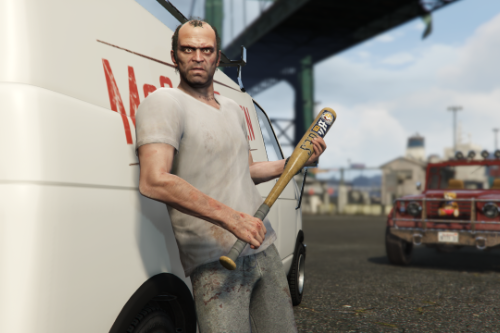
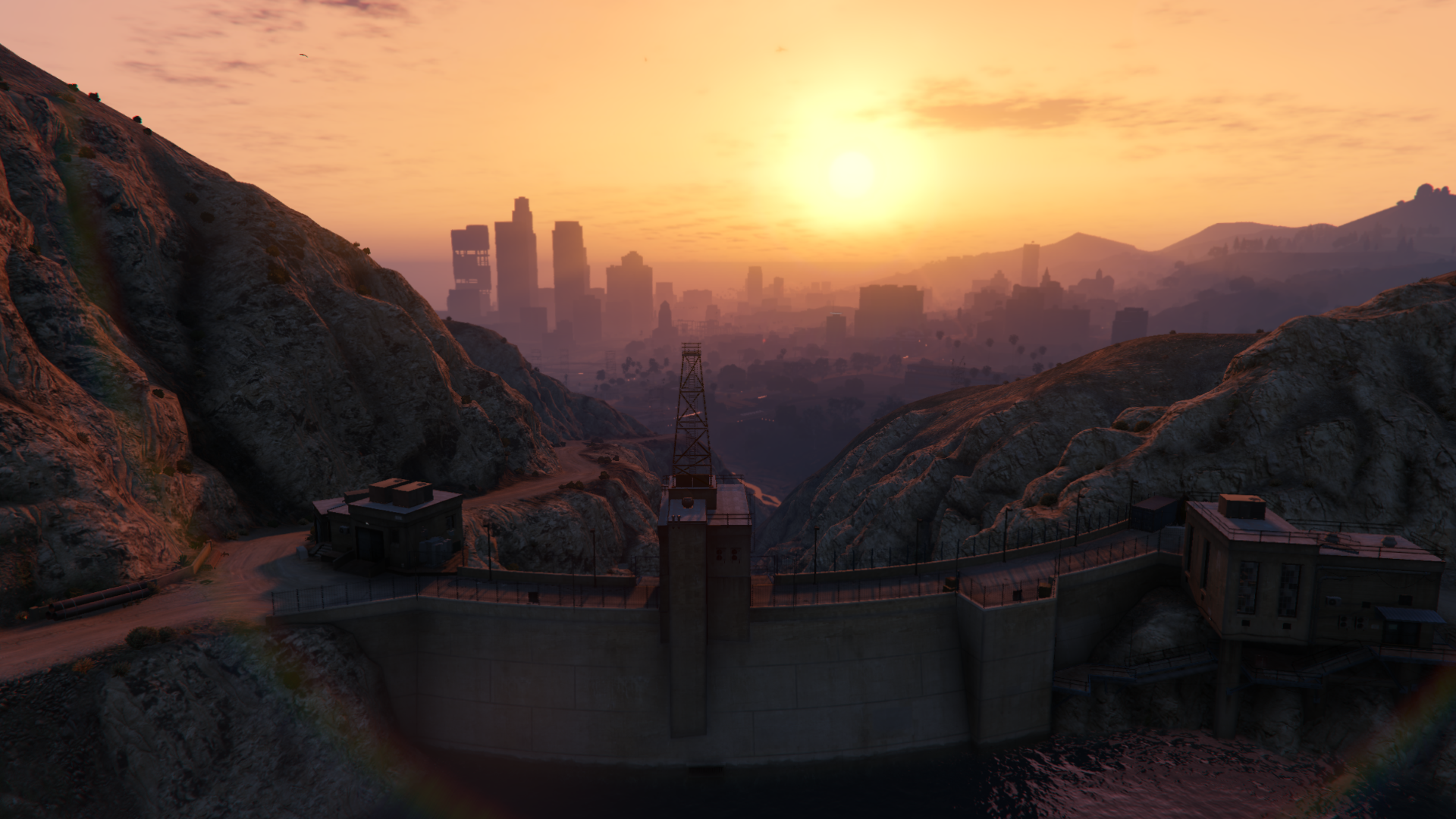
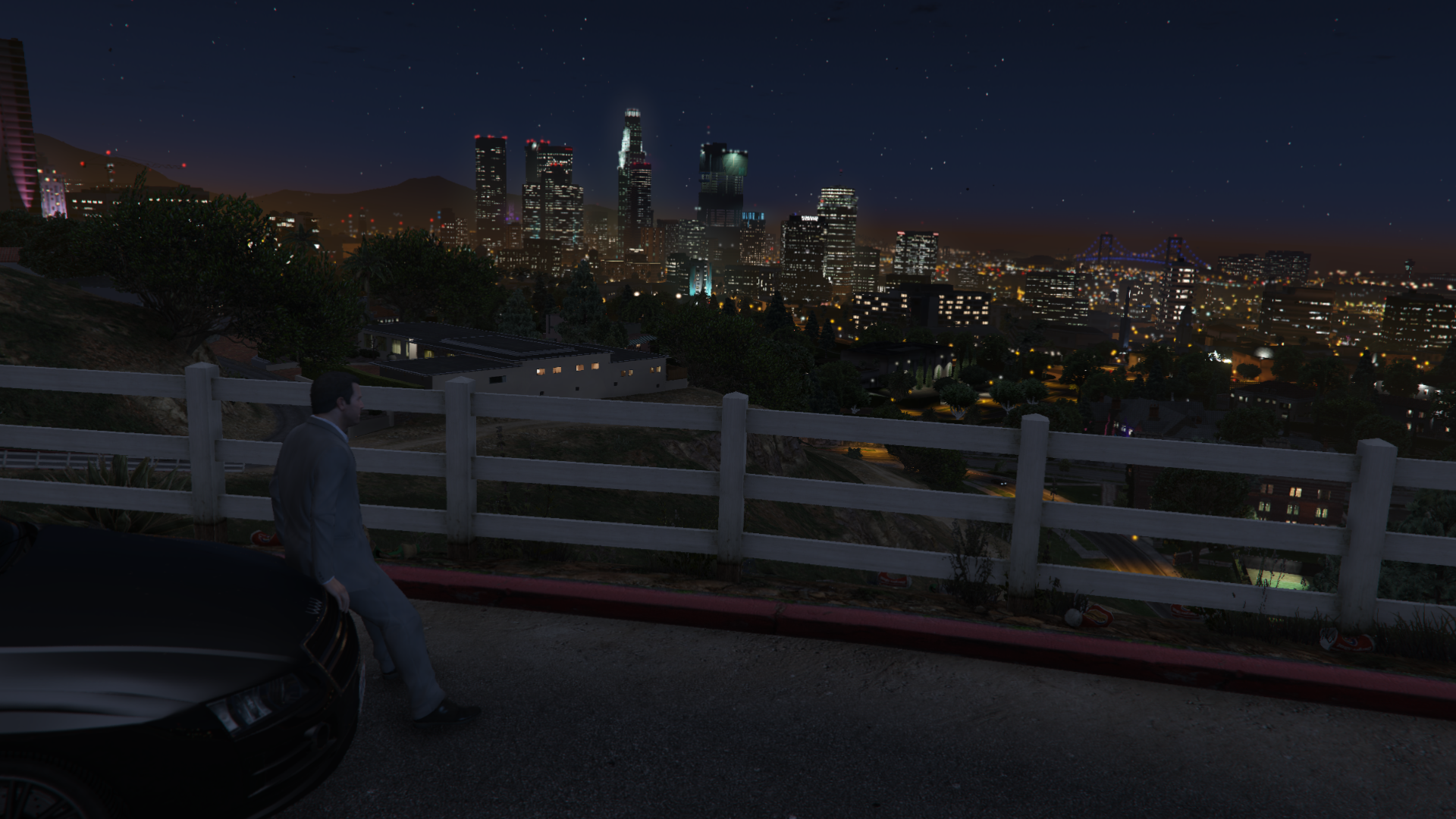
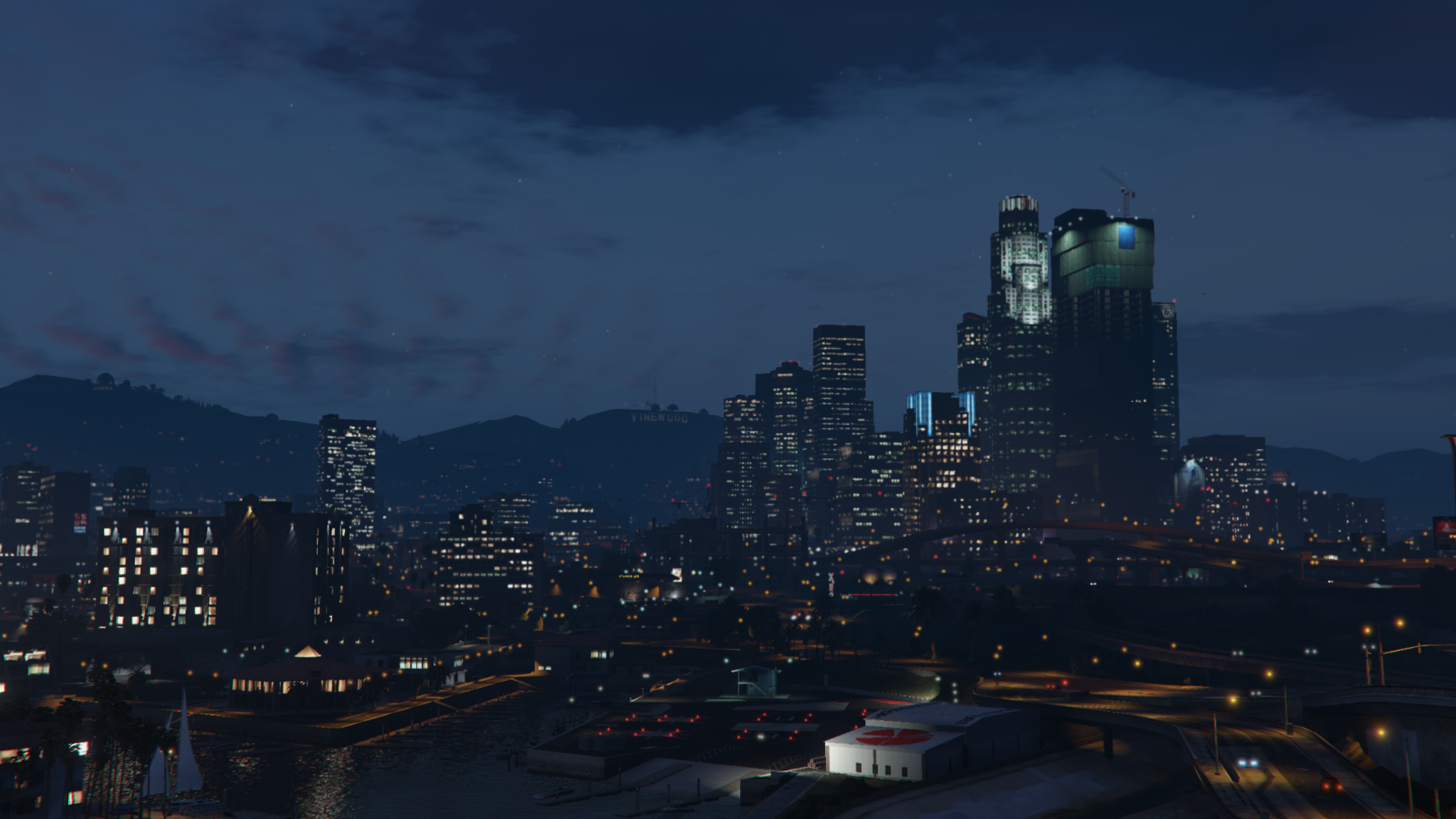
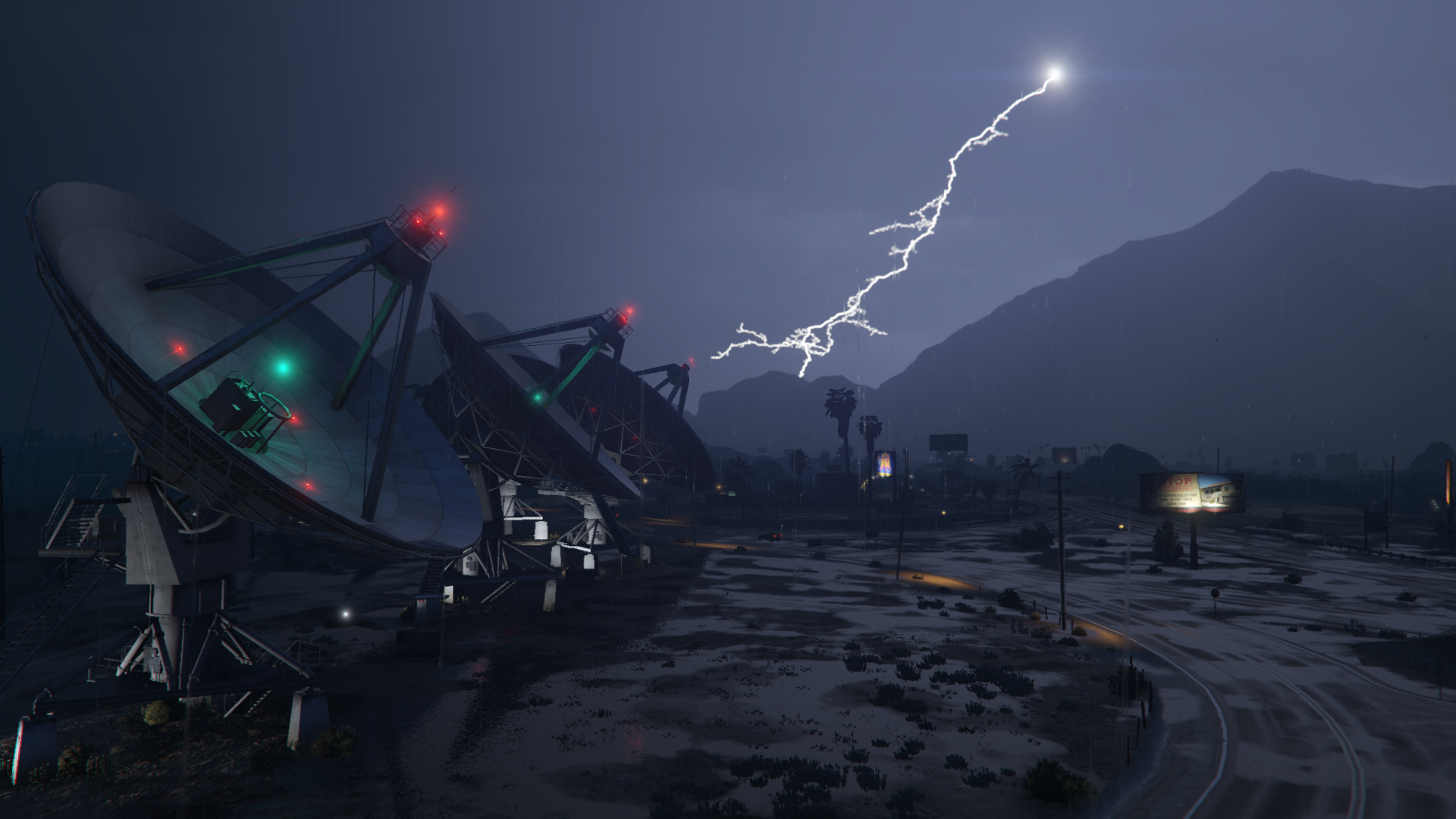
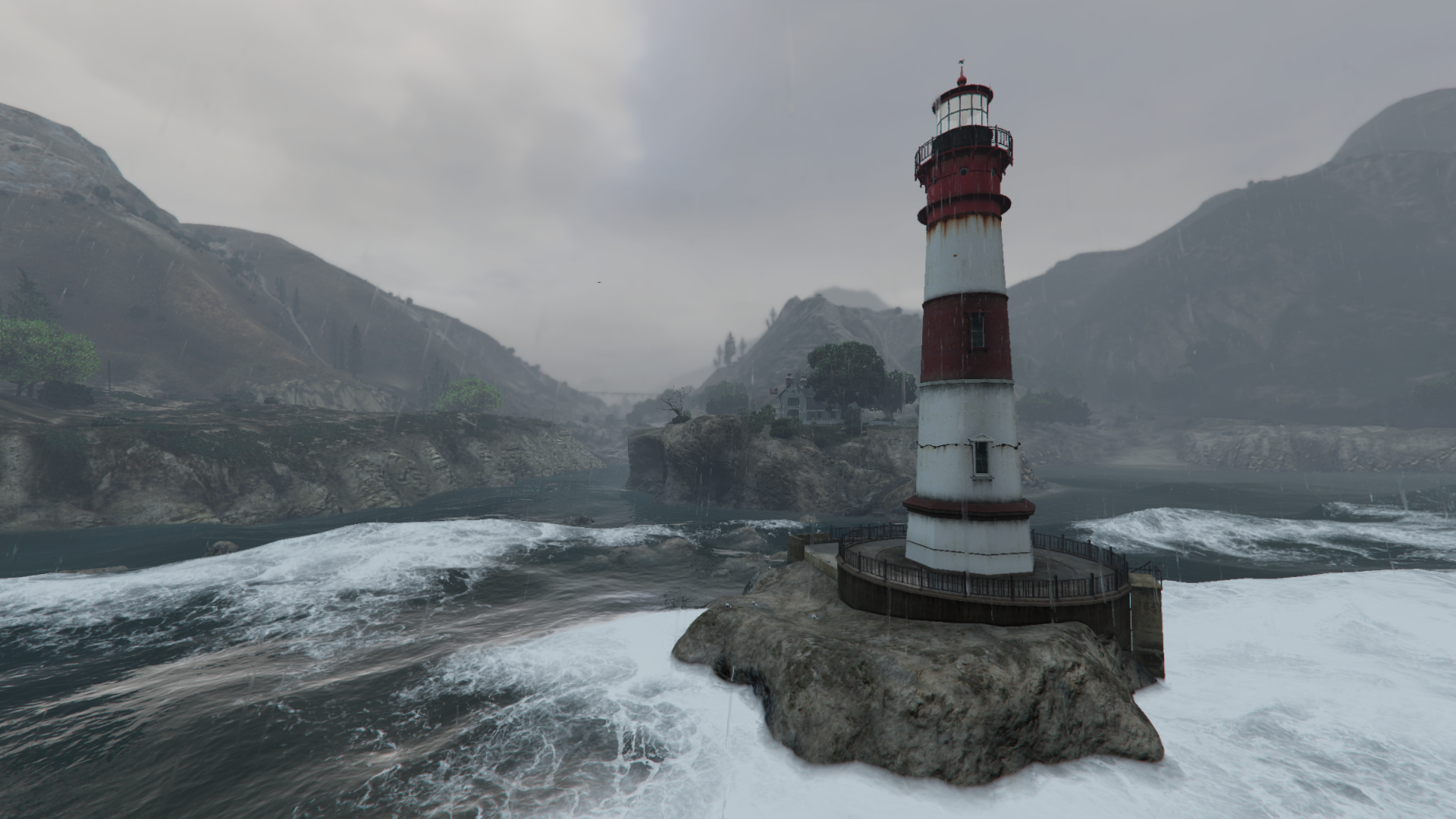
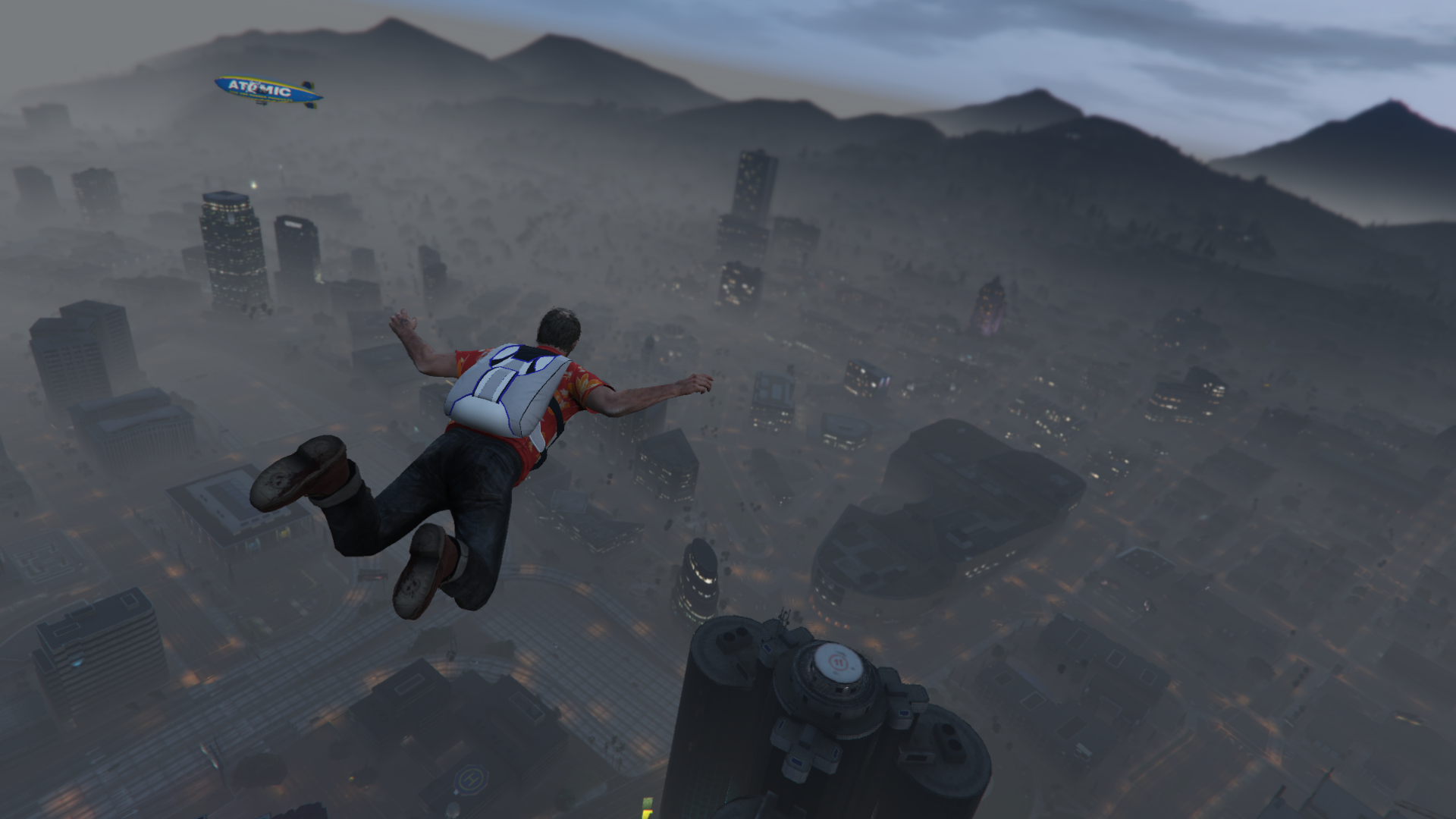
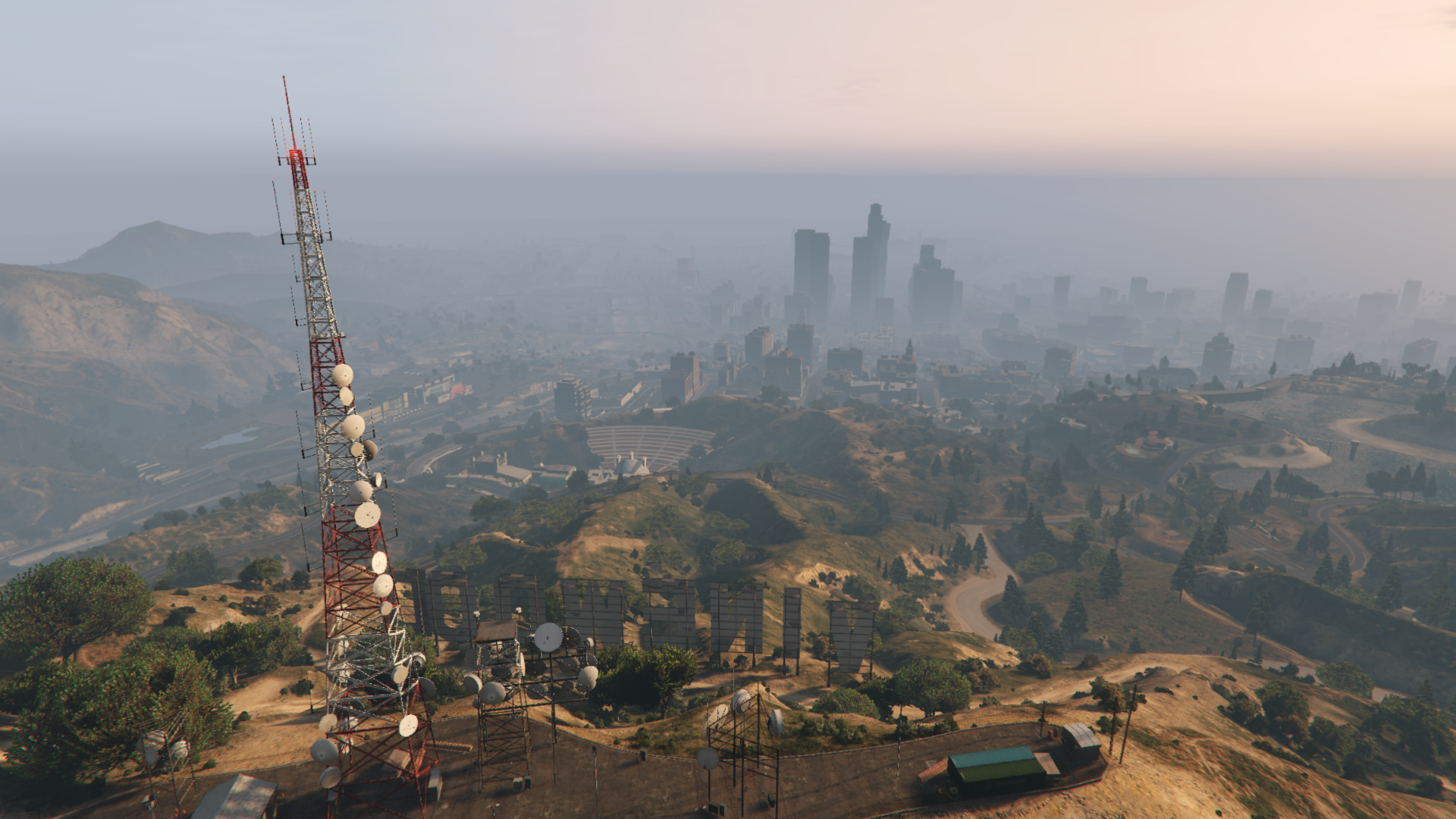
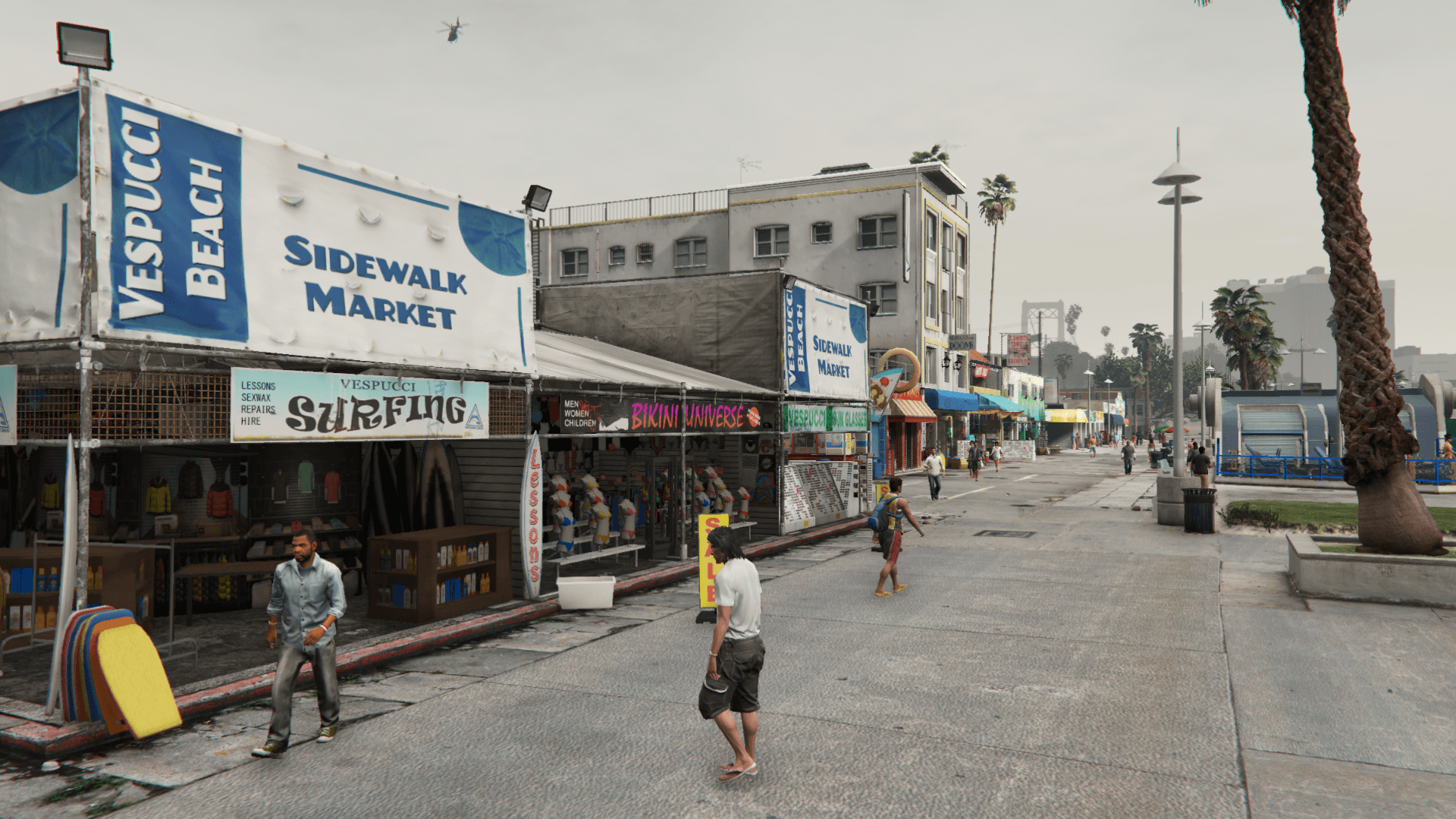
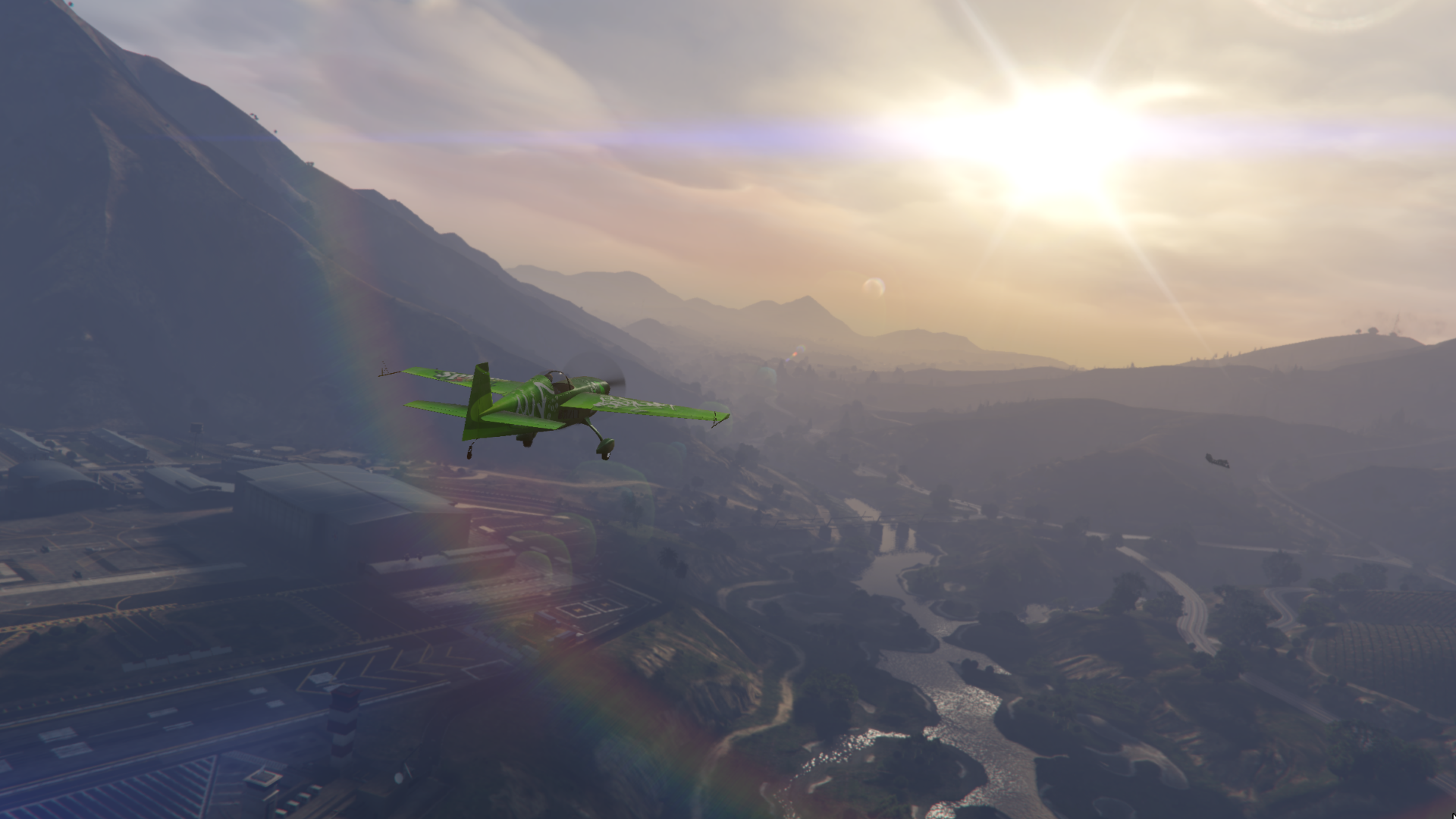
This mod restores various graphics elements from the PS3 and X360 version of the game
Main Changes:
- Weathers
- Lens flare, lightning, light pollution, clouds and other miscellaneous visual settings
- Textures of the bokeh, damage effect (upscaled), flares (animorphic, artefact, chromatic, corona) and water foam (upscaled)
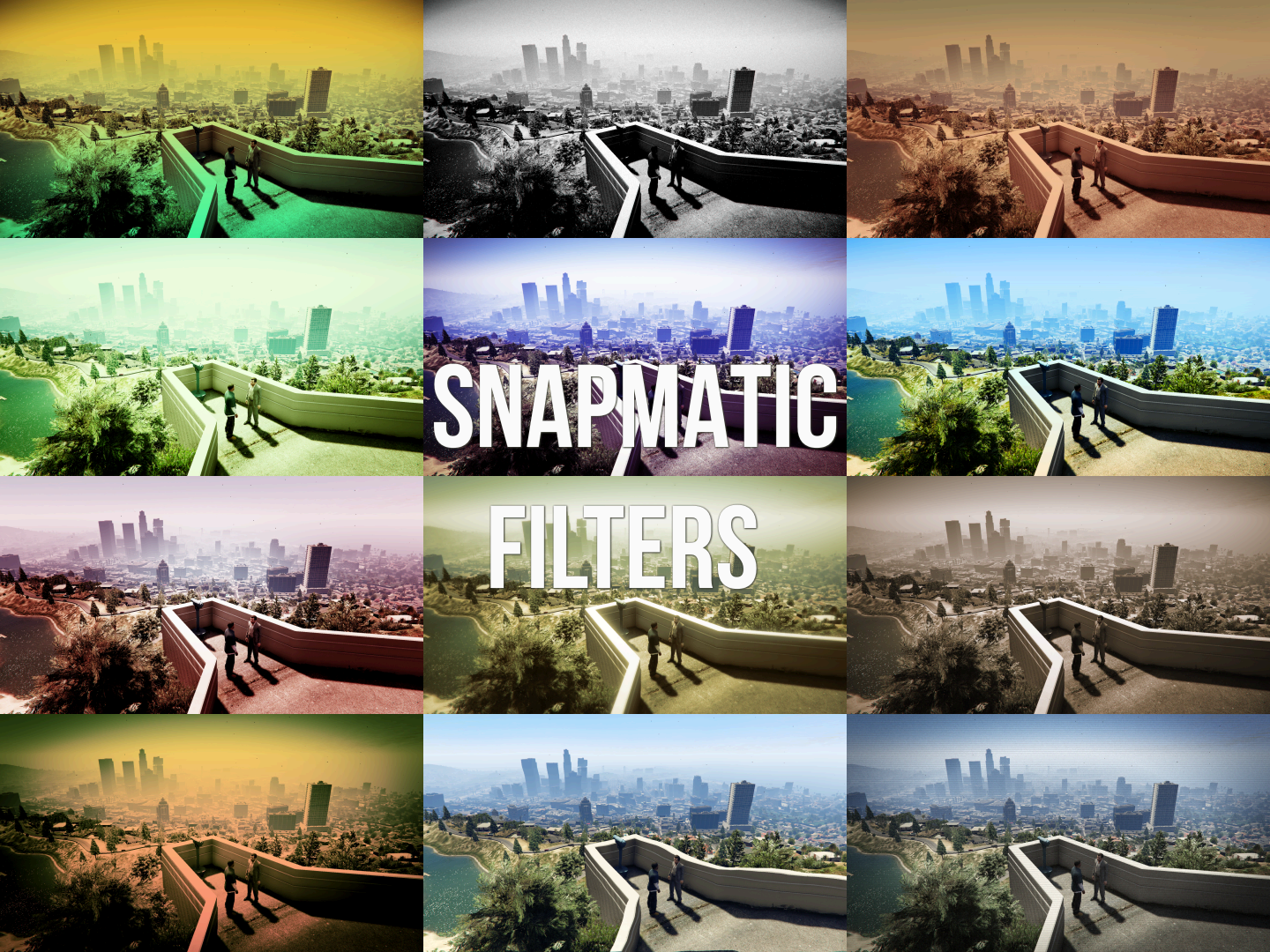
- Snapmatic filters
- Changed lens distortion and chromatic aberration values for the "Sniper", "nextgen", "telescope" and "NG_First" timecycle modifiers
Optionals:
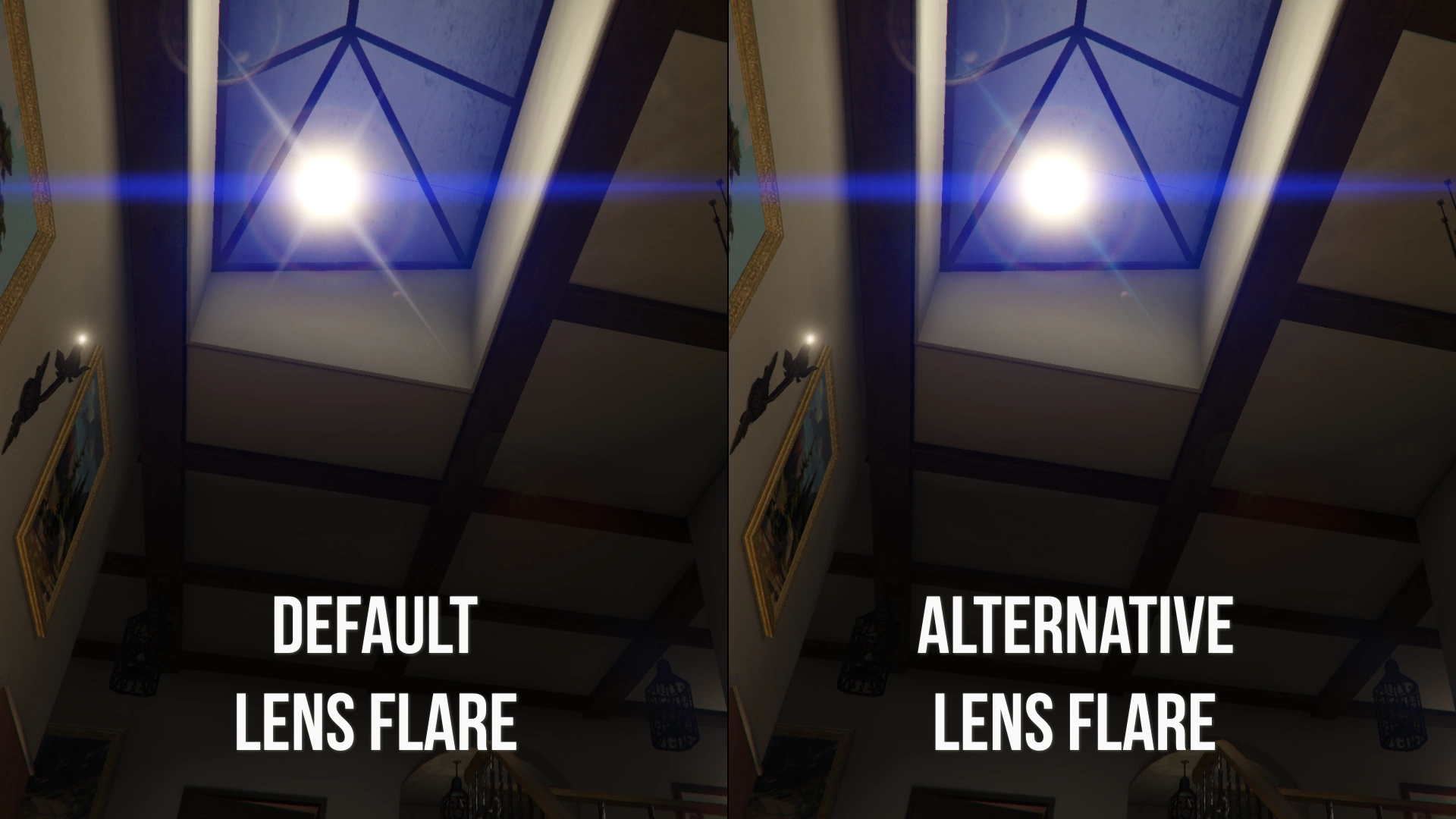
- Alternative Lens Flare: this optional changes the color of two flare animorphics from yellow to blue
- Alternative Sniper Rifle & Telescope Filters: this optional changes the "Sniper" and "telescope" timecycle modifiers with the ones from PS3/X360
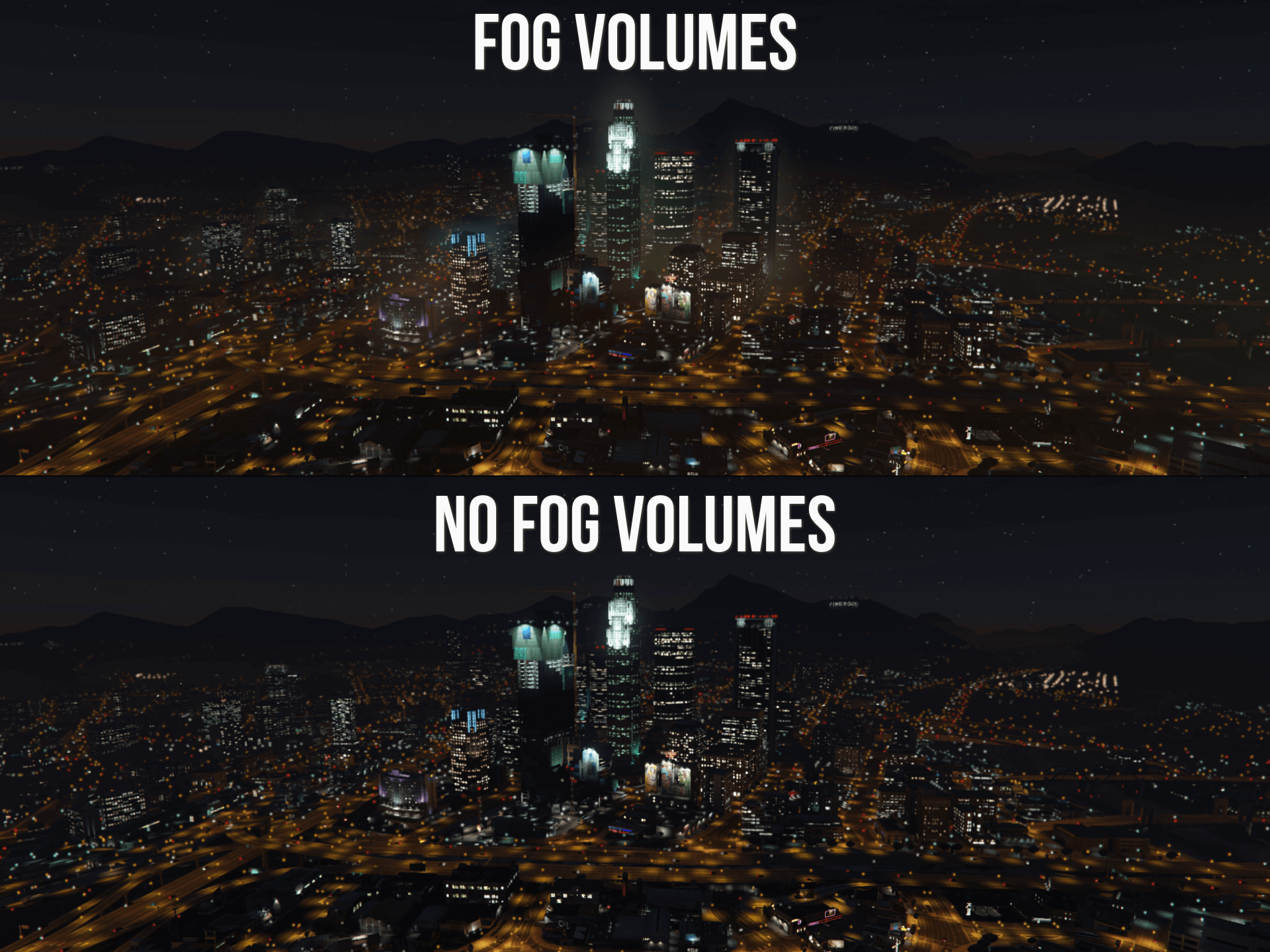
- No Fog Volumes: this optional removes the fog volumes around the map. Note: this optional isn't required if the "Shader" quality is set to "Normal"
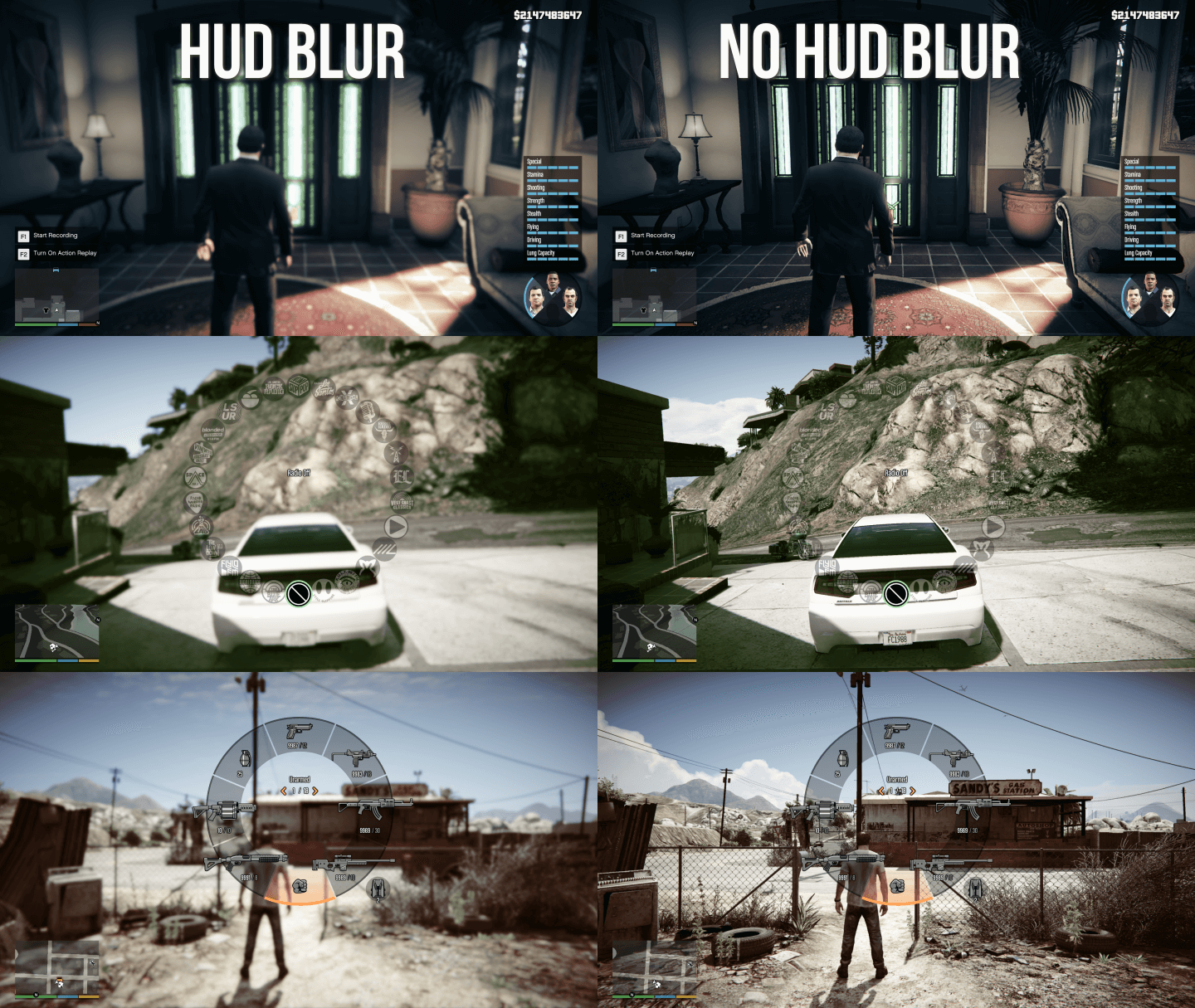
- No HUD Blur: this optional removes the DoF/blur from the character, radio and weapon wheels
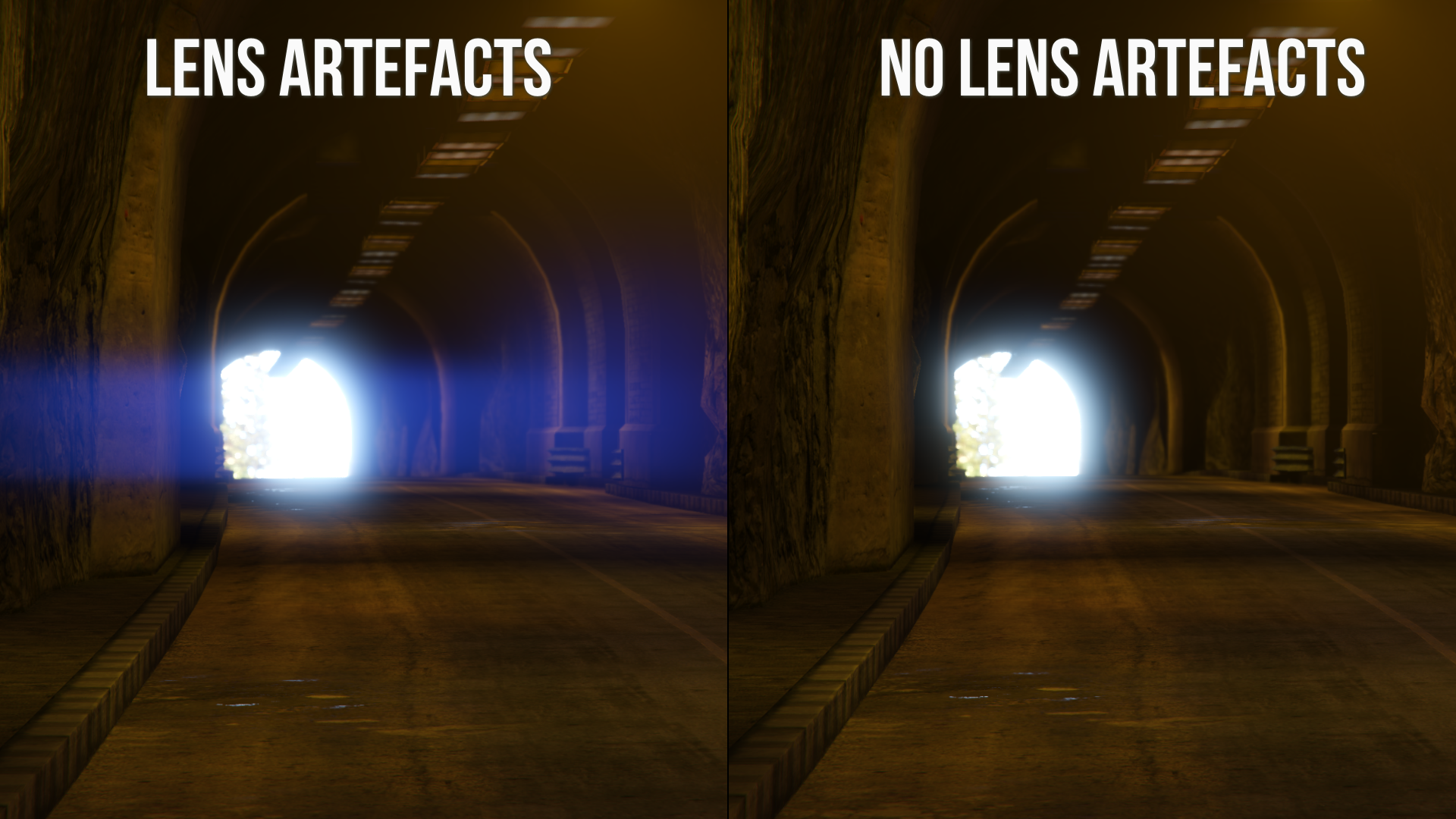
- No Lens Artefacts: this optional removes the blue lens artefacts that are enabled when the "PostFX" quality set to "Very High" and "Ultra"
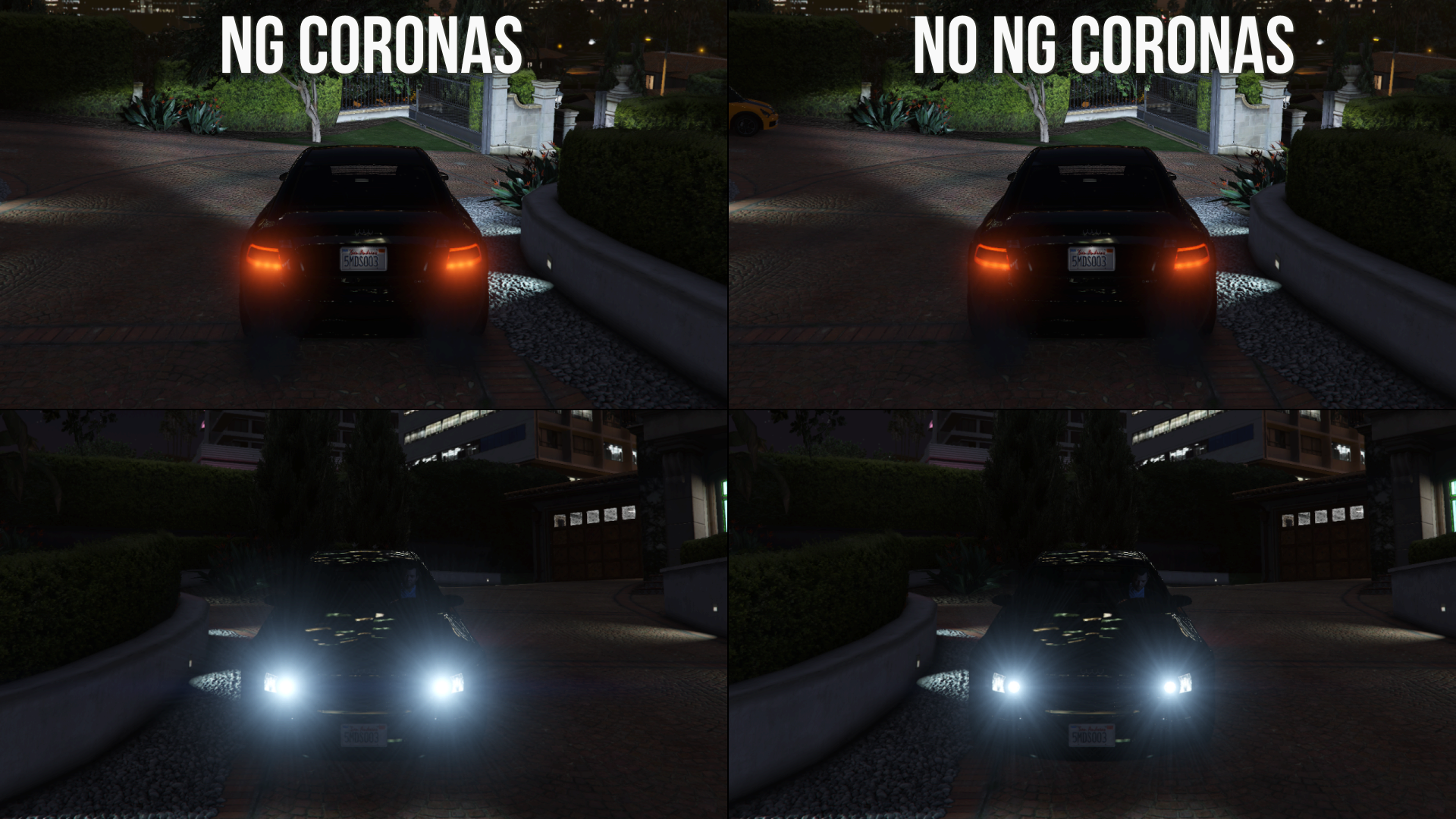
- No NGCoronas & Smaller Rain Puddles: this optional disables an additional layer of the corona texture emitted from light sources and changes the scale of the rain puddles
- Ped Damage: this optional restores two entries to the "Car_Crash_Light" damage pack
- Restored Clouds: this optional changes the layers of the "Cloudy" and "Stormy" cloudhats and restores 4 unique models
Requirements (Legacy):
- CodeWalker or OpenIV
- OpenIV.asi ( included with OpenIV )
- OIV Package Installer
Requirements (Enhanced):
- CodeWalker. Note: download the latest version from the Discord server
- OpenRPF
- OIV Package Installer
Installation (Legacy):
- Main Files: use the OpenIV's built-in package installer / the OIV package installer or extract the files to import them manually
- Alternative Sniper Rifle & Telescope Filters (optional): import "timecycle_mods_1.xml" in "mods\update\update.rpf\common\data"
- No NGCoronas & Smaller Rain Puddles (optional): import "visualsettings.dat" in "mods\update\update.rpf\common\data"
- Restored Clouds (optional): import "clouds.xml" in "mods\update\update.rpf\common\data"
Installation (Enhanced):
- Main Files: use the OIV Package Installer or extract the files to import them manually
- Alternative Sniper Rifle & Telescope Filters (optional): import "timecycle_mods_1.xml" in "mods\update\update.rpf\common\data"
- No NGCoronas & Smaller Rain Puddles (optional): import "visualsettings.dat" in "mods\update\update.rpf\common\data"
- Restored Clouds (optional): import "clouds.xml" in "mods\update\update.rpf\common\data"
Installation (Legacy & Enhanced Optionals):
- Alternative Lens Flare: import "lensflare_f.xml", "lensflare_m.xml" and "lensflare_t.xml" in "mods\update\update.rpf\common\data"
- No Fog Volumes: import "vfxfogvolumeinfo.ymt" in "mods\update\update.rpf\x64\data\effects"
- No HUD Blur: import "timecycle_mods_4.xml" in "mods\update\update.rpf\common\data\timecycle"
- No Lens Artefacts: import "lensartefacts.ymt" in "mods\update\update.rpf\x64\data\effects"
- Ped Damage: import "peddamage.xml" in "mods\update\update.rpf\common\data\effects\peds"
Special Thanks:
- alloc8or for the Visual Settings + Timecycle Reloader
- dexyfex for CodeWalker
- Skylumz for Sollumz
- The OpenIV Team for OpenIV
- DK22Pac for the WFT/XFT to DFF converter
- Parik for DragonFF
- Stryfaar for helping during development
- safari4831 for the OIV Package Installer
- Tervel1337 for changing the lens distortion and chromatic aberration of some timecycle modifiers
Changelog:
16.04.26
- Changed the lens distortion and chromatic aberration values of the "Sniper", "nextgen", "telescope" and "NG_First" timecycle modifiers. Thanks to Tervel1337 for making the edited modifiers
- Added an optional which changes the "Sniper" and "telescope" timecycle modifiers with the ones from PS3/X360
- Updated the "No NG Coronas" optional to include smaller rain puddles as well
- Added an optional "peddamage.xml" which restores two entries to the "Car_Crash_Light" damage pack
- Added back "watertune_heistisland.xml"
- Added back the restored clouds (plus a reconverted "cloudhat_stormy_01d" drawable and added an higher resolution "cloudhat_detailtest1" texture)
Legacy:
- Updated the main package
- Added two new optionals: "Alternative Sniper Rifle & Telescope Filters" and "Restored Clouds"
- Updated the "No NGCoronas" optional (now called "No NGCoronas & Smaller Rain Puddles")
- Updated the installation instructions
Enhanced:
- Updated the main package
- Added two new optionals: "Alternative Sniper Rifle & Telescope Filters" and "Restored Clouds"
- Updated the "No NGCoronas" optional (now called "No NGCoronas & Smaller Rain Puddles")
- Updated the installation instructions
This mod restores various graphics elements from the PS3 and X360 version of the game
Main Changes:
- Weathers
- Lens flare, lightning, light pollution, clouds and other miscellaneous visual settings
- Textures of the bokeh, damage effect (upscaled), flares (animorphic, artefact, chromatic, corona) and water foam (upscaled)
- Snapmatic filters
- Changed lens distortion and chromatic aberration values for the "Sniper", "nextgen", "telescope" and "NG_First" timecycle modifiers
Optionals:
- Alternative Lens Flare: this optional changes the color of two flare animorphics from yellow to blue
- Alternative Sniper Rifle & Telescope Filters: this optional changes the "Sniper" and "telescope" timecycle modifiers with the ones from PS3/X360
- No Fog Volumes: this optional removes the fog volumes around the map. Note: this optional isn't required if the "Shader" quality is set to "Normal"
- No HUD Blur: this optional removes the DoF/blur from the character, radio and weapon wheels
- No Lens Artefacts: this optional removes the blue lens artefacts that are enabled when the "PostFX" quality set to "Very High" and "Ultra"
- No NGCoronas & Smaller Rain Puddles: this optional disables an additional layer of the corona texture emitted from light sources and changes the scale of the rain puddles
- Ped Damage: this optional restores two entries to the "Car_Crash_Light" damage pack
- Restored Clouds: this optional changes the layers of the "Cloudy" and "Stormy" cloudhats and restores 4 unique models
Requirements (Legacy):
- CodeWalker or OpenIV
- OpenIV.asi ( included with OpenIV )
- OIV Package Installer
Requirements (Enhanced):
- CodeWalker. Note: download the latest version from the Discord server
- OpenRPF
- OIV Package Installer
Installation (Legacy):
- Main Files: use the OpenIV's built-in package installer / the OIV package installer or extract the files to import them manually
- Alternative Sniper Rifle & Telescope Filters (optional): import "timecycle_mods_1.xml" in "mods\update\update.rpf\common\data"
- No NGCoronas & Smaller Rain Puddles (optional): import "visualsettings.dat" in "mods\update\update.rpf\common\data"
- Restored Clouds (optional): import "clouds.xml" in "mods\update\update.rpf\common\data"
Installation (Enhanced):
- Main Files: use the OIV Package Installer or extract the files to import them manually
- Alternative Sniper Rifle & Telescope Filters (optional): import "timecycle_mods_1.xml" in "mods\update\update.rpf\common\data"
- No NGCoronas & Smaller Rain Puddles (optional): import "visualsettings.dat" in "mods\update\update.rpf\common\data"
- Restored Clouds (optional): import "clouds.xml" in "mods\update\update.rpf\common\data"
Installation (Legacy & Enhanced Optionals):
- Alternative Lens Flare: import "lensflare_f.xml", "lensflare_m.xml" and "lensflare_t.xml" in "mods\update\update.rpf\common\data"
- No Fog Volumes: import "vfxfogvolumeinfo.ymt" in "mods\update\update.rpf\x64\data\effects"
- No HUD Blur: import "timecycle_mods_4.xml" in "mods\update\update.rpf\common\data\timecycle"
- No Lens Artefacts: import "lensartefacts.ymt" in "mods\update\update.rpf\x64\data\effects"
- Ped Damage: import "peddamage.xml" in "mods\update\update.rpf\common\data\effects\peds"
Special Thanks:
- alloc8or for the Visual Settings + Timecycle Reloader
- dexyfex for CodeWalker
- Skylumz for Sollumz
- The OpenIV Team for OpenIV
- DK22Pac for the WFT/XFT to DFF converter
- Parik for DragonFF
- Stryfaar for helping during development
- safari4831 for the OIV Package Installer
- Tervel1337 for changing the lens distortion and chromatic aberration of some timecycle modifiers
Changelog:
16.04.26
- Changed the lens distortion and chromatic aberration values of the "Sniper", "nextgen", "telescope" and "NG_First" timecycle modifiers. Thanks to Tervel1337 for making the edited modifiers
- Added an optional which changes the "Sniper" and "telescope" timecycle modifiers with the ones from PS3/X360
- Updated the "No NG Coronas" optional to include smaller rain puddles as well
- Added an optional "peddamage.xml" which restores two entries to the "Car_Crash_Light" damage pack
- Added back "watertune_heistisland.xml"
- Added back the restored clouds (plus a reconverted "cloudhat_stormy_01d" drawable and added an higher resolution "cloudhat_detailtest1" texture)
Legacy:
- Updated the main package
- Added two new optionals: "Alternative Sniper Rifle & Telescope Filters" and "Restored Clouds"
- Updated the "No NGCoronas" optional (now called "No NGCoronas & Smaller Rain Puddles")
- Updated the installation instructions
Enhanced:
- Updated the main package
- Added two new optionals: "Alternative Sniper Rifle & Telescope Filters" and "Restored Clouds"
- Updated the "No NGCoronas" optional (now called "No NGCoronas & Smaller Rain Puddles")
- Updated the installation instructions
Primo Caricamento: 15 settembre 2018
Ultimo Aggiornamento: 16 aprile 2026
Last Downloaded: 33 minuti fa
340 Commenti
More mods by Alex106:
Information:
This mod restores various graphics elements from the PS3 and X360 version of the game
Main Changes:
- Weathers
- Lens flare, lightning, light pollution, clouds and other miscellaneous visual settings
- Textures of the bokeh, damage effect (upscaled), flares (animorphic, artefact, chromatic, corona) and water foam (upscaled)
- Snapmatic filters
- Changed lens distortion and chromatic aberration values for the "Sniper", "nextgen", "telescope" and "NG_First" timecycle modifiers
Optionals:
- Alternative Lens Flare: this optional changes the color of two flare animorphics from yellow to blue
- Alternative Sniper Rifle & Telescope Filters: this optional changes the "Sniper" and "telescope" timecycle modifiers with the ones from PS3/X360
- No Fog Volumes: this optional removes the fog volumes around the map. Note: this optional isn't required if the "Shader" quality is set to "Normal"
- No HUD Blur: this optional removes the DoF/blur from the character, radio and weapon wheels
- No Lens Artefacts: this optional removes the blue lens artefacts that are enabled when the "PostFX" quality set to "Very High" and "Ultra"
- No NGCoronas & Smaller Rain Puddles: this optional disables an additional layer of the corona texture emitted from light sources and changes the scale of the rain puddles
- Ped Damage: this optional restores two entries to the "Car_Crash_Light" damage pack
- Restored Clouds: this optional changes the layers of the "Cloudy" and "Stormy" cloudhats and restores 4 unique models
Requirements (Legacy):
- CodeWalker or OpenIV
- OpenIV.asi ( included with OpenIV )
- OIV Package Installer
Requirements (Enhanced):
- CodeWalker. Note: download the latest version from the Discord server
- OpenRPF
- OIV Package Installer
Installation (Legacy):
- Main Files: use the OpenIV's built-in package installer / the OIV package installer or extract the files to import them manually
- Alternative Sniper Rifle & Telescope Filters (optional): import "timecycle_mods_1.xml" in "mods\update\update.rpf\common\data"
- No NGCoronas & Smaller Rain Puddles (optional): import "visualsettings.dat" in "mods\update\update.rpf\common\data"
- Restored Clouds (optional): import "clouds.xml" in "mods\update\update.rpf\common\data"
Installation (Enhanced):
- Main Files: use the OIV Package Installer or extract the files to import them manually
- Alternative Sniper Rifle & Telescope Filters (optional): import "timecycle_mods_1.xml" in "mods\update\update.rpf\common\data"
- No NGCoronas & Smaller Rain Puddles (optional): import "visualsettings.dat" in "mods\update\update.rpf\common\data"
- Restored Clouds (optional): import "clouds.xml" in "mods\update\update.rpf\common\data"
Installation (Legacy & Enhanced Optionals):
- Alternative Lens Flare: import "lensflare_f.xml", "lensflare_m.xml" and "lensflare_t.xml" in "mods\update\update.rpf\common\data"
- No Fog Volumes: import "vfxfogvolumeinfo.ymt" in "mods\update\update.rpf\x64\data\effects"
- No HUD Blur: import "timecycle_mods_4.xml" in "mods\update\update.rpf\common\data\timecycle"
- No Lens Artefacts: import "lensartefacts.ymt" in "mods\update\update.rpf\x64\data\effects"
- Ped Damage: import "peddamage.xml" in "mods\update\update.rpf\common\data\effects\peds"
Special Thanks:
- alloc8or for the Visual Settings + Timecycle Reloader
- dexyfex for CodeWalker
- Skylumz for Sollumz
- The OpenIV Team for OpenIV
- DK22Pac for the WFT/XFT to DFF converter
- Parik for DragonFF
- Stryfaar for helping during development
- safari4831 for the OIV Package Installer
- Tervel1337 for changing the lens distortion and chromatic aberration of some timecycle modifiers
Changelog:
16.04.26
- Changed the lens distortion and chromatic aberration values of the "Sniper", "nextgen", "telescope" and "NG_First" timecycle modifiers. Thanks to Tervel1337 for making the edited modifiers
- Added an optional which changes the "Sniper" and "telescope" timecycle modifiers with the ones from PS3/X360
- Updated the "No NG Coronas" optional to include smaller rain puddles as well
- Added an optional "peddamage.xml" which restores two entries to the "Car_Crash_Light" damage pack
- Added back "watertune_heistisland.xml"
- Added back the restored clouds (plus a reconverted "cloudhat_stormy_01d" drawable and added an higher resolution "cloudhat_detailtest1" texture)
Legacy:
- Updated the main package
- Added two new optionals: "Alternative Sniper Rifle & Telescope Filters" and "Restored Clouds"
- Updated the "No NGCoronas" optional (now called "No NGCoronas & Smaller Rain Puddles")
- Updated the installation instructions
Enhanced:
- Updated the main package
- Added two new optionals: "Alternative Sniper Rifle & Telescope Filters" and "Restored Clouds"
- Updated the "No NGCoronas" optional (now called "No NGCoronas & Smaller Rain Puddles")
- Updated the installation instructions
This mod restores various graphics elements from the PS3 and X360 version of the game
Main Changes:
- Weathers
- Lens flare, lightning, light pollution, clouds and other miscellaneous visual settings
- Textures of the bokeh, damage effect (upscaled), flares (animorphic, artefact, chromatic, corona) and water foam (upscaled)
- Snapmatic filters
- Changed lens distortion and chromatic aberration values for the "Sniper", "nextgen", "telescope" and "NG_First" timecycle modifiers
Optionals:
- Alternative Lens Flare: this optional changes the color of two flare animorphics from yellow to blue
- Alternative Sniper Rifle & Telescope Filters: this optional changes the "Sniper" and "telescope" timecycle modifiers with the ones from PS3/X360
- No Fog Volumes: this optional removes the fog volumes around the map. Note: this optional isn't required if the "Shader" quality is set to "Normal"
- No HUD Blur: this optional removes the DoF/blur from the character, radio and weapon wheels
- No Lens Artefacts: this optional removes the blue lens artefacts that are enabled when the "PostFX" quality set to "Very High" and "Ultra"
- No NGCoronas & Smaller Rain Puddles: this optional disables an additional layer of the corona texture emitted from light sources and changes the scale of the rain puddles
- Ped Damage: this optional restores two entries to the "Car_Crash_Light" damage pack
- Restored Clouds: this optional changes the layers of the "Cloudy" and "Stormy" cloudhats and restores 4 unique models
Requirements (Legacy):
- CodeWalker or OpenIV
- OpenIV.asi ( included with OpenIV )
- OIV Package Installer
Requirements (Enhanced):
- CodeWalker. Note: download the latest version from the Discord server
- OpenRPF
- OIV Package Installer
Installation (Legacy):
- Main Files: use the OpenIV's built-in package installer / the OIV package installer or extract the files to import them manually
- Alternative Sniper Rifle & Telescope Filters (optional): import "timecycle_mods_1.xml" in "mods\update\update.rpf\common\data"
- No NGCoronas & Smaller Rain Puddles (optional): import "visualsettings.dat" in "mods\update\update.rpf\common\data"
- Restored Clouds (optional): import "clouds.xml" in "mods\update\update.rpf\common\data"
Installation (Enhanced):
- Main Files: use the OIV Package Installer or extract the files to import them manually
- Alternative Sniper Rifle & Telescope Filters (optional): import "timecycle_mods_1.xml" in "mods\update\update.rpf\common\data"
- No NGCoronas & Smaller Rain Puddles (optional): import "visualsettings.dat" in "mods\update\update.rpf\common\data"
- Restored Clouds (optional): import "clouds.xml" in "mods\update\update.rpf\common\data"
Installation (Legacy & Enhanced Optionals):
- Alternative Lens Flare: import "lensflare_f.xml", "lensflare_m.xml" and "lensflare_t.xml" in "mods\update\update.rpf\common\data"
- No Fog Volumes: import "vfxfogvolumeinfo.ymt" in "mods\update\update.rpf\x64\data\effects"
- No HUD Blur: import "timecycle_mods_4.xml" in "mods\update\update.rpf\common\data\timecycle"
- No Lens Artefacts: import "lensartefacts.ymt" in "mods\update\update.rpf\x64\data\effects"
- Ped Damage: import "peddamage.xml" in "mods\update\update.rpf\common\data\effects\peds"
Special Thanks:
- alloc8or for the Visual Settings + Timecycle Reloader
- dexyfex for CodeWalker
- Skylumz for Sollumz
- The OpenIV Team for OpenIV
- DK22Pac for the WFT/XFT to DFF converter
- Parik for DragonFF
- Stryfaar for helping during development
- safari4831 for the OIV Package Installer
- Tervel1337 for changing the lens distortion and chromatic aberration of some timecycle modifiers
Changelog:
16.04.26
- Changed the lens distortion and chromatic aberration values of the "Sniper", "nextgen", "telescope" and "NG_First" timecycle modifiers. Thanks to Tervel1337 for making the edited modifiers
- Added an optional which changes the "Sniper" and "telescope" timecycle modifiers with the ones from PS3/X360
- Updated the "No NG Coronas" optional to include smaller rain puddles as well
- Added an optional "peddamage.xml" which restores two entries to the "Car_Crash_Light" damage pack
- Added back "watertune_heistisland.xml"
- Added back the restored clouds (plus a reconverted "cloudhat_stormy_01d" drawable and added an higher resolution "cloudhat_detailtest1" texture)
Legacy:
- Updated the main package
- Added two new optionals: "Alternative Sniper Rifle & Telescope Filters" and "Restored Clouds"
- Updated the "No NGCoronas" optional (now called "No NGCoronas & Smaller Rain Puddles")
- Updated the installation instructions
Enhanced:
- Updated the main package
- Added two new optionals: "Alternative Sniper Rifle & Telescope Filters" and "Restored Clouds"
- Updated the "No NGCoronas" optional (now called "No NGCoronas & Smaller Rain Puddles")
- Updated the installation instructions
Primo Caricamento: 15 settembre 2018
Ultimo Aggiornamento: 16 aprile 2026
Last Downloaded: 33 minuti fa
 5mods on Discord

It would be great if the Chromatic Aberration was also removed with this mod. Because it's horrible and it isn't in the 7th Gen Versions,
@Alex106 How can i disable Fog Volumes, Lens Artefacts and NGCoronas so I can have xbox 360 graphic fiddelity while keeping the new gen effects and assets? (Still on Legacy, but on Linux now)
@Alex106 How do i disable Fog Volumes, Lens Artefacts, NGCoronas and other stuff manually so i can have xbox 360 graphics while keeping the new gen assets and effects? On legacy btw.
@HereWeGoAgain You can disabe that stuff with the optionals
@Alex106 While keeping the new gen assets and effects, right?
@HereWeGoAgain Yes, the rest remains unchanged
@Alex106 thx.
Can you make the same one but without the haze? (A.K.A. Chromatic Aberration) since in 7th gen, they didn't have the haze nor far DoF unlike the 8th/9th gen. I really like this mod because I'm a sucker for PS3/Xbox 360 era of GTA. But I felt weirded ever since i saw the haze in it. Making it an optional would be nice since they're group of people actually likes the haze but others not. Again I love this mod but adding an optional for removing the haze would be great. Peace brother!
@luigility https://www.gta5-mods.com/misc/no-far-dof-no-edge-blur-no-chromatic-aberration#comments_tab
This mod does exactly what you're asking for
I also happen to be a sucker for that version. So wherever you get your information or modding knowledge regarding the recreation of 7th gen on PC, I'd like to know
@bumpermotion65 Hey, thanks for the mod! Really appreciate it! If you like to know about my modding knowledge, well here it is. I usual do by just comparing PS3 version to PS4/PC version and just changing things like the graphics settings, installing old gen mods, etc. I do this precisely so that it matches close to the 7th gen and to make sure it is 1:1 recreation of it. Soon, i might make my own mod list of 7th gen things for pc, so that people can experience the good old days without relaying on emulations. It also doesn't include beta things like what GTA Trilogy Games did on his mod list, just pure day 1 version. If you'd like to root for it, go for it! I'll be very thankful!
@luigility What I encourage you to do, is create a Discord server or at the very least try and advertise (in any capacity) your mod pack, project, build or whatever. Because as it stands, GTA Trilogy Games might be the only one to have recently (and publicly) covered this topic in a somewhat proper manner yet tons of oversights still prevail and the video is already over a year old.
The most accomplished PC recreation of Old Gen (though it is mainly HUD focused) that I know of so far is Cisco Shill's (AKA @DroidRZRLover ) 7th Gen HUD Version X Paragon. But it comes with too many drawbacks in my opinion, sure the entire HUD has been recreated 1:1. With even the most niche stuff such as the right coloring for sports or even the flight school messages being present. But they're currently stuck on a version no one plays, it being Build 2699, which I couldn't even get to mod because of the Paragon Launcher (completely stripping away the only real advantage of playing on PC). And even if I was to be able to mod it, most newer mods would find themselves incompatible with the build (thank Rockstar for still giving us updates 12 years post release, drastically reducing modding potential in the process). The mod unfortunately finds itself locked behind a launcher, poorly advertised and serving one specific purpose, its not focused around Old Gen recreation but rather around getting the Old Gen HUD back into Online with their own private servers. It's an excellent project for what it claims to be but it does not get the community much closer to a full recreation of Old Gen for PC.
If you're interested in the mod and I guess you might be, he advertises his discord in the comments of his most famous mod the "Previous Generation HUD" there you will find all the information you need. I quickly want to add that this is tremendous work he has been doing and I believe he's one of the few gifted ones in this community, in the likes of @Alex106 as their work has been immensely valuable to the community. The reason they're stuck on this build is because it's not even a released version, it's the one that works with the leaked source code, and therefore a better understanding of the HUD mechanism allowing for the Old Gen effects.
It still bugs me how something this relatively simple in it's nature happens to be so difficult for the community.
And don't you ever think a discord server is somewhat "too much" for a simple mod project, I believe and I think you also do, that GTA V deserves it's own Fusion Fix, it's own Sky GFX kind of treatment from the community. I believe the biggest obstacle is Rockstar's constant updates throughout the years which heavily hampers modding no matter how prevalent it is thought to be regarding this game.
Personally I've gotten fairly deep into it but still I have a lot to learn, If you'd like me to share my methods or mods then I'd be happy to share, though I am not sure there's much you will learn from me.
Amazing mod, i don't know if it's still missing something to mod from this video: https://www.youtube.com/watch?v=K9RLOWztOO8
unfortunately this mod in enhanced version working not so good like in legacy
FOR THOSE OF YOU WHO WANT SMALLER PUDDLES LIKE ON OLD GEN PS3 & XBOX 360
As showcased in https://www.youtube.com/watch?v=aMMNOIXTxTA at 2:32
Reason you'd want to do this is because the PC/PS4/Xbox One Versions introduced flooded streets so reflections could be used as marketing material, those puddles are way to big for rain in Southern California.
1. Go to the Visualsettings.dat file located in mods/update/update.rpf/common/data
2. Replace the entire "// Puddles" section with this.
// Puddles
puddles.scale 0.02
puddles.range 0.1
puddles.depth 0.6
puddles.strength 0.5
puddles.animspeed 30.
Those values were ripped straight from the PS3 files and do work.
It won't look 1:1 with the old gen version, but what matters the most is getting the flooded streets out of the picture.
For visual accuracy, it seems the older consoles use a different reflection technique for their puddles, which is less detailed and a lot more subjective.
@Alex106 Question could you by chance do a update for FiveM by chance
@TheSpooderBoi I don't make mods for FiveM, sorry
Hi!
Thanks a lot for the mod!!
For me, the mod is almost perfect, except that the fog still seems a little too close.
The colors are perfect compared to the ps3, thanks again because with a simple reshade, it was impossible for me to achieve this.
@Alex106 Is it possible to bring back the Fog. I don't know how to remove No Fog
@eggos Navigate to "mods\update\update.rpf\x64\data\effects" and delete "vfxfogvolumeninfo.ymt"
@Alex106 Thank you!
Amazing mod by the way. Makes the game look amazing!