VitalityPlus+ [.net] v4.0


![Gang Notoriety [Legacy]](https://img.gta5-mods.com/q75-w500-h333-cfill/images/gang-notoriety-legacy/f88b16-GangNotoriety_Thumbnail.png "Gang Notoriety [Legacy]")
![Native Mod Menu [ASI] (Enhanced)](https://img.gta5-mods.com/q75-w500-h333-cfill/images/native-mod-menu-asi-enhanced-nativecoder/741d47-NMM_IMG.png "Native Mod Menu [ASI] (Enhanced)")


12.283
117
12.283
117
About This Mod
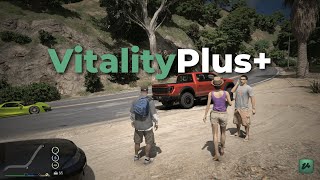
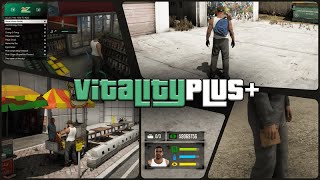
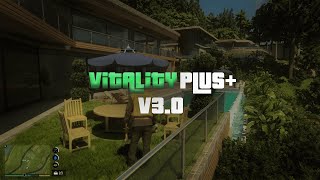
VitalityPlus+ adds hunger, thirst, and energy systems to single player along with stores, vending machines, inventory management, bags, and several interaction features. The mod focuses on giving players more things to manage, purchase, and use throughout the game while keeping everything functional through menus and simple animations.
You can buy items from stores, expand inventory capacity with bags, use vending machines, eat at hotdog stands, restore energy by sleeping, and access all features through the main menu. The goal is to provide additional gameplay mechanics without changing the core structure of the game.
Features
IMPORTANT
The mod currently does not support NaturalVision Enhanced (Onigiri)
However, if you are using NaturalVision Enhanced + OpenRPF, the texture installation process is the same.
Simply Install the "[Enhanced] VitalityPlus+ Textures" & "[Enhanced] VitalityPlus+ Motel MLO" OIV files through OIV Package Installer
Controls
Installation
=> Copy the "scripts" folder to your GTA V Main Game Directory(Where GTA5.exe or GTA5_Enhanced.exe is located)
Legacy:
=> Install the "[Legacy] VitalityPlus+ Textures" OIV file through OpenIV
=> Install the "[Legacy] VitalityPlus+ Motel MLO" OIV file through OpenIV
Enhanced:
=> Install the "[Enhanced] VitalityPlus+ Textures" OIV file through OIV Package Installer
=> Install the "[Enhanced] VitalityPlus+ Motel MLO" OIV file through OIV Package Installer
Requirements
Legacy
OpenIV
Script Hook V
Script Hook V .NET
LemonUI SHVDN3
iFruitAddon2
Enhanced
OpenRPF
OIV Package Installer
Script Hook V
Script Hook V .NET Enhanced
LemonUI SHVDN3
iFruitAddon2
Changelog
v4.0
- Reworked the Entire Stats System (Rings & Cores System and Regeneration System)
- Rebalanced Stats Depletion Rate
- Added Stats Drain Rate Selector
- NEW Classic+ HUD
- NEW Circular+ HUD
- Added New Preview Item Image Style Selector & Updated Preview Item Images
- Added Gamepad Support
- NEW Motel System
- Added ability to Remove Bag Anywhere
- Price Adjustment Support
- Reload Persistence
- AIP and backpack props are now deleted before creating new ones (Reload Persistence)
- All blips are now deleted before creating new ones (Reload Persistence)
- Improved Basket Item Notifications to show the Quantity Added/Removed for each item
- Random Speech After Consumption
- Added Option to Disable Bag
- NEW Bag Store Location(Los Santos Bag Co.)
- Fixed Walking Styles and Camera Shakes not playing (minor bugs or glitches may still occur)
- Fixed Some Selectors and Checkboxes not saving settings correctly
- Fixed HotDog Consumption not pausing hunger
- Fixed Energy & Thirst Increasing inside certain interiors(Clothing Store, Barber shops, etc.)
- Fixed an issue where vehicles or pedestrians disappeared while having a Attached Inventory Prop (AIP)
- Fixed Phone automatically shutting off when Stats are empty
- Fixed Missing Textures Notification
v3.0
- Enhanced Support
- Improved Hud Colors
- Improved Bag Store System
- New Circular Horizontal Hud
- Updated RLS & SLB Map Blips
- Improved Discount Percentages & Reduced the Probability of Discounted Items
- Added Pre-Mission Stats Saving
- Added Basket Menu Key Binding Customization
- Added an option to reset HUD position and size
- New Pause Stats System after Consumption(Currently Limited to Hotdogs)
- Added Item Preview Image Position & Size Adjuster
- HUD is now hidden when the Minimap is disabled
- Added additional size options for the HUD size adjusters, along with a new scroll sensitivity option
- Improved Key Binding setup Helpers
- Reworked all Notifications, Subtitles, and HelpText Messages
- Health reduction has been lowered from −10 HP to −5 HP when a stat is empty
- Added a change logs menu displaying all fixes, improvements, and newly added features
- Disabled Pack of 3 Donuts if No Bag
- Fixed the FPS Bug (minor FPS drops may still occur)
- Fixed the Hud Position Adjusters Not Working Correctly
- Fixed Circular HUD Scaling Issues
- Fixed the Vehicle coming to a Sudden Stop while Consuming an Item
- Fixed Helper Notifications not displaying the current key bindings
- Fixed an issue where the stats HUD appeared empty even when the stat was not fully depleted
- Fixed “Added to Basket” Notifications not displaying
- Fixed an issue where some coffee vending machines were not working
- Fixed a Few Story Mode Compatibility Issues
v2.0
- Added HUD position and size adjustment feature
- New Discount System
- Added LSPDFR Compatible
- Added Compatibility for ALL Characters
- Rebalanced Food and Drink Values + Updated their Preview Images
- New Menu Banners
- Added Randomly changing Menu Banners for some selected menus
- Added an option to Disable Attached Inventory Prop in the AIP menu
- Added Stat Increases when Consuming Drinks at a Safehouse
- Added Stat Increases when using Soda Vending Machines
- Fixed an issue where the Menu Up Arrow opened the cellphone
- Fixed an issue where characters performed unintended additional actions while consuming items
- Disabled AIP while fight mode is active
- Improved Low Stats Animation
v1.0
- Initial Release
VitalityPlus+ adds hunger, thirst, and energy systems to single player along with stores, vending machines, inventory management, bags, and several interaction features. The mod focuses on giving players more things to manage, purchase, and use throughout the game while keeping everything functional through menus and simple animations.
You can buy items from stores, expand inventory capacity with bags, use vending machines, eat at hotdog stands, restore energy by sleeping, and access all features through the main menu. The goal is to provide additional gameplay mechanics without changing the core structure of the game.
Features
- Hunger, thirst, and energy systems
- Inventory with item previews and stat details
- Purchasable bags that expand inventory capacity
- Functional stores with basket, preview, and checkout
- Snack, water, and coffee vending machines
- Hotdog stands with instant consumption
- Custom eating, drinking, and vending sounds
- Sleep system that restores energy
- Main menu with customizable settings and keybinds
- Store blip controls through Contacts
- Automatic saving
- Story Mode compatibility (beta)
IMPORTANT
The mod currently does not support NaturalVision Enhanced (Onigiri)
However, if you are using NaturalVision Enhanced + OpenRPF, the texture installation process is the same.
Simply Install the "[Enhanced] VitalityPlus+ Textures" & "[Enhanced] VitalityPlus+ Motel MLO" OIV files through OIV Package Installer
Controls
- Shift + N opens the Main Menu
- Shift + G opens the Inventory Menu
- Backspace sets a keybind to None
- Context Key (default E) interacts with stores, vending machines, hotdog stands, and bag markers
- Shift + B opens the Basket Menu when holding a basket
- Delete removes items from the Basket
- A + D-Pad Left opens the Main Menu
- A + D-Pad Right opens the Inventory Menu
- D-Pad Right interacts with stores, vending machines, hotdog stands, and motel markers
- A + RB opens the Basket Menu when holding a basket
- X removes items from the Basket
KeyBoard:
Controller:
Installation
=> Copy the "scripts" folder to your GTA V Main Game Directory(Where GTA5.exe or GTA5_Enhanced.exe is located)
Legacy:
=> Install the "[Legacy] VitalityPlus+ Textures" OIV file through OpenIV
=> Install the "[Legacy] VitalityPlus+ Motel MLO" OIV file through OpenIV
Enhanced:
=> Install the "[Enhanced] VitalityPlus+ Textures" OIV file through OIV Package Installer
=> Install the "[Enhanced] VitalityPlus+ Motel MLO" OIV file through OIV Package Installer
Requirements
Legacy
OpenIV
Script Hook V
Script Hook V .NET
LemonUI SHVDN3
iFruitAddon2
Enhanced
OpenRPF
OIV Package Installer
Script Hook V
Script Hook V .NET Enhanced
LemonUI SHVDN3
iFruitAddon2
Changelog
v4.0
- Reworked the Entire Stats System (Rings & Cores System and Regeneration System)
- Rebalanced Stats Depletion Rate
- Added Stats Drain Rate Selector
- NEW Classic+ HUD
- NEW Circular+ HUD
- Added New Preview Item Image Style Selector & Updated Preview Item Images
- Added Gamepad Support
- NEW Motel System
- Added ability to Remove Bag Anywhere
- Price Adjustment Support
- Reload Persistence
- AIP and backpack props are now deleted before creating new ones (Reload Persistence)
- All blips are now deleted before creating new ones (Reload Persistence)
- Improved Basket Item Notifications to show the Quantity Added/Removed for each item
- Random Speech After Consumption
- Added Option to Disable Bag
- NEW Bag Store Location(Los Santos Bag Co.)
- Fixed Walking Styles and Camera Shakes not playing (minor bugs or glitches may still occur)
- Fixed Some Selectors and Checkboxes not saving settings correctly
- Fixed HotDog Consumption not pausing hunger
- Fixed Energy & Thirst Increasing inside certain interiors(Clothing Store, Barber shops, etc.)
- Fixed an issue where vehicles or pedestrians disappeared while having a Attached Inventory Prop (AIP)
- Fixed Phone automatically shutting off when Stats are empty
- Fixed Missing Textures Notification
v3.0
- Enhanced Support
- Improved Hud Colors
- Improved Bag Store System
- New Circular Horizontal Hud
- Updated RLS & SLB Map Blips
- Improved Discount Percentages & Reduced the Probability of Discounted Items
- Added Pre-Mission Stats Saving
- Added Basket Menu Key Binding Customization
- Added an option to reset HUD position and size
- New Pause Stats System after Consumption(Currently Limited to Hotdogs)
- Added Item Preview Image Position & Size Adjuster
- HUD is now hidden when the Minimap is disabled
- Added additional size options for the HUD size adjusters, along with a new scroll sensitivity option
- Improved Key Binding setup Helpers
- Reworked all Notifications, Subtitles, and HelpText Messages
- Health reduction has been lowered from −10 HP to −5 HP when a stat is empty
- Added a change logs menu displaying all fixes, improvements, and newly added features
- Disabled Pack of 3 Donuts if No Bag
- Fixed the FPS Bug (minor FPS drops may still occur)
- Fixed the Hud Position Adjusters Not Working Correctly
- Fixed Circular HUD Scaling Issues
- Fixed the Vehicle coming to a Sudden Stop while Consuming an Item
- Fixed Helper Notifications not displaying the current key bindings
- Fixed an issue where the stats HUD appeared empty even when the stat was not fully depleted
- Fixed “Added to Basket” Notifications not displaying
- Fixed an issue where some coffee vending machines were not working
- Fixed a Few Story Mode Compatibility Issues
v2.0
- Added HUD position and size adjustment feature
- New Discount System
- Added LSPDFR Compatible
- Added Compatibility for ALL Characters
- Rebalanced Food and Drink Values + Updated their Preview Images
- New Menu Banners
- Added Randomly changing Menu Banners for some selected menus
- Added an option to Disable Attached Inventory Prop in the AIP menu
- Added Stat Increases when Consuming Drinks at a Safehouse
- Added Stat Increases when using Soda Vending Machines
- Fixed an issue where the Menu Up Arrow opened the cellphone
- Fixed an issue where characters performed unintended additional actions while consuming items
- Disabled AIP while fight mode is active
- Improved Low Stats Animation
v1.0
- Initial Release
Primo Caricamento: 23 agosto 2025
Ultimo Aggiornamento: 04 giugno 2026
Last Downloaded: 11 minuti fa
327 Commenti
About This Mod
VitalityPlus+ adds hunger, thirst, and energy systems to single player along with stores, vending machines, inventory management, bags, and several interaction features. The mod focuses on giving players more things to manage, purchase, and use throughout the game while keeping everything functional through menus and simple animations.
You can buy items from stores, expand inventory capacity with bags, use vending machines, eat at hotdog stands, restore energy by sleeping, and access all features through the main menu. The goal is to provide additional gameplay mechanics without changing the core structure of the game.
Features
IMPORTANT
The mod currently does not support NaturalVision Enhanced (Onigiri)
However, if you are using NaturalVision Enhanced + OpenRPF, the texture installation process is the same.
Simply Install the "[Enhanced] VitalityPlus+ Textures" & "[Enhanced] VitalityPlus+ Motel MLO" OIV files through OIV Package Installer
Controls
Installation
=> Copy the "scripts" folder to your GTA V Main Game Directory(Where GTA5.exe or GTA5_Enhanced.exe is located)
Legacy:
=> Install the "[Legacy] VitalityPlus+ Textures" OIV file through OpenIV
=> Install the "[Legacy] VitalityPlus+ Motel MLO" OIV file through OpenIV
Enhanced:
=> Install the "[Enhanced] VitalityPlus+ Textures" OIV file through OIV Package Installer
=> Install the "[Enhanced] VitalityPlus+ Motel MLO" OIV file through OIV Package Installer
Requirements
Legacy
OpenIV
Script Hook V
Script Hook V .NET
LemonUI SHVDN3
iFruitAddon2
Enhanced
OpenRPF
OIV Package Installer
Script Hook V
Script Hook V .NET Enhanced
LemonUI SHVDN3
iFruitAddon2
Changelog
v4.0
- Reworked the Entire Stats System (Rings & Cores System and Regeneration System)
- Rebalanced Stats Depletion Rate
- Added Stats Drain Rate Selector
- NEW Classic+ HUD
- NEW Circular+ HUD
- Added New Preview Item Image Style Selector & Updated Preview Item Images
- Added Gamepad Support
- NEW Motel System
- Added ability to Remove Bag Anywhere
- Price Adjustment Support
- Reload Persistence
- AIP and backpack props are now deleted before creating new ones (Reload Persistence)
- All blips are now deleted before creating new ones (Reload Persistence)
- Improved Basket Item Notifications to show the Quantity Added/Removed for each item
- Random Speech After Consumption
- Added Option to Disable Bag
- NEW Bag Store Location(Los Santos Bag Co.)
- Fixed Walking Styles and Camera Shakes not playing (minor bugs or glitches may still occur)
- Fixed Some Selectors and Checkboxes not saving settings correctly
- Fixed HotDog Consumption not pausing hunger
- Fixed Energy & Thirst Increasing inside certain interiors(Clothing Store, Barber shops, etc.)
- Fixed an issue where vehicles or pedestrians disappeared while having a Attached Inventory Prop (AIP)
- Fixed Phone automatically shutting off when Stats are empty
- Fixed Missing Textures Notification
v3.0
- Enhanced Support
- Improved Hud Colors
- Improved Bag Store System
- New Circular Horizontal Hud
- Updated RLS & SLB Map Blips
- Improved Discount Percentages & Reduced the Probability of Discounted Items
- Added Pre-Mission Stats Saving
- Added Basket Menu Key Binding Customization
- Added an option to reset HUD position and size
- New Pause Stats System after Consumption(Currently Limited to Hotdogs)
- Added Item Preview Image Position & Size Adjuster
- HUD is now hidden when the Minimap is disabled
- Added additional size options for the HUD size adjusters, along with a new scroll sensitivity option
- Improved Key Binding setup Helpers
- Reworked all Notifications, Subtitles, and HelpText Messages
- Health reduction has been lowered from −10 HP to −5 HP when a stat is empty
- Added a change logs menu displaying all fixes, improvements, and newly added features
- Disabled Pack of 3 Donuts if No Bag
- Fixed the FPS Bug (minor FPS drops may still occur)
- Fixed the Hud Position Adjusters Not Working Correctly
- Fixed Circular HUD Scaling Issues
- Fixed the Vehicle coming to a Sudden Stop while Consuming an Item
- Fixed Helper Notifications not displaying the current key bindings
- Fixed an issue where the stats HUD appeared empty even when the stat was not fully depleted
- Fixed “Added to Basket” Notifications not displaying
- Fixed an issue where some coffee vending machines were not working
- Fixed a Few Story Mode Compatibility Issues
v2.0
- Added HUD position and size adjustment feature
- New Discount System
- Added LSPDFR Compatible
- Added Compatibility for ALL Characters
- Rebalanced Food and Drink Values + Updated their Preview Images
- New Menu Banners
- Added Randomly changing Menu Banners for some selected menus
- Added an option to Disable Attached Inventory Prop in the AIP menu
- Added Stat Increases when Consuming Drinks at a Safehouse
- Added Stat Increases when using Soda Vending Machines
- Fixed an issue where the Menu Up Arrow opened the cellphone
- Fixed an issue where characters performed unintended additional actions while consuming items
- Disabled AIP while fight mode is active
- Improved Low Stats Animation
v1.0
- Initial Release
VitalityPlus+ adds hunger, thirst, and energy systems to single player along with stores, vending machines, inventory management, bags, and several interaction features. The mod focuses on giving players more things to manage, purchase, and use throughout the game while keeping everything functional through menus and simple animations.
You can buy items from stores, expand inventory capacity with bags, use vending machines, eat at hotdog stands, restore energy by sleeping, and access all features through the main menu. The goal is to provide additional gameplay mechanics without changing the core structure of the game.
Features
- Hunger, thirst, and energy systems
- Inventory with item previews and stat details
- Purchasable bags that expand inventory capacity
- Functional stores with basket, preview, and checkout
- Snack, water, and coffee vending machines
- Hotdog stands with instant consumption
- Custom eating, drinking, and vending sounds
- Sleep system that restores energy
- Main menu with customizable settings and keybinds
- Store blip controls through Contacts
- Automatic saving
- Story Mode compatibility (beta)
IMPORTANT
The mod currently does not support NaturalVision Enhanced (Onigiri)
However, if you are using NaturalVision Enhanced + OpenRPF, the texture installation process is the same.
Simply Install the "[Enhanced] VitalityPlus+ Textures" & "[Enhanced] VitalityPlus+ Motel MLO" OIV files through OIV Package Installer
Controls
- Shift + N opens the Main Menu
- Shift + G opens the Inventory Menu
- Backspace sets a keybind to None
- Context Key (default E) interacts with stores, vending machines, hotdog stands, and bag markers
- Shift + B opens the Basket Menu when holding a basket
- Delete removes items from the Basket
- A + D-Pad Left opens the Main Menu
- A + D-Pad Right opens the Inventory Menu
- D-Pad Right interacts with stores, vending machines, hotdog stands, and motel markers
- A + RB opens the Basket Menu when holding a basket
- X removes items from the Basket
KeyBoard:
Controller:
Installation
=> Copy the "scripts" folder to your GTA V Main Game Directory(Where GTA5.exe or GTA5_Enhanced.exe is located)
Legacy:
=> Install the "[Legacy] VitalityPlus+ Textures" OIV file through OpenIV
=> Install the "[Legacy] VitalityPlus+ Motel MLO" OIV file through OpenIV
Enhanced:
=> Install the "[Enhanced] VitalityPlus+ Textures" OIV file through OIV Package Installer
=> Install the "[Enhanced] VitalityPlus+ Motel MLO" OIV file through OIV Package Installer
Requirements
Legacy
OpenIV
Script Hook V
Script Hook V .NET
LemonUI SHVDN3
iFruitAddon2
Enhanced
OpenRPF
OIV Package Installer
Script Hook V
Script Hook V .NET Enhanced
LemonUI SHVDN3
iFruitAddon2
Changelog
v4.0
- Reworked the Entire Stats System (Rings & Cores System and Regeneration System)
- Rebalanced Stats Depletion Rate
- Added Stats Drain Rate Selector
- NEW Classic+ HUD
- NEW Circular+ HUD
- Added New Preview Item Image Style Selector & Updated Preview Item Images
- Added Gamepad Support
- NEW Motel System
- Added ability to Remove Bag Anywhere
- Price Adjustment Support
- Reload Persistence
- AIP and backpack props are now deleted before creating new ones (Reload Persistence)
- All blips are now deleted before creating new ones (Reload Persistence)
- Improved Basket Item Notifications to show the Quantity Added/Removed for each item
- Random Speech After Consumption
- Added Option to Disable Bag
- NEW Bag Store Location(Los Santos Bag Co.)
- Fixed Walking Styles and Camera Shakes not playing (minor bugs or glitches may still occur)
- Fixed Some Selectors and Checkboxes not saving settings correctly
- Fixed HotDog Consumption not pausing hunger
- Fixed Energy & Thirst Increasing inside certain interiors(Clothing Store, Barber shops, etc.)
- Fixed an issue where vehicles or pedestrians disappeared while having a Attached Inventory Prop (AIP)
- Fixed Phone automatically shutting off when Stats are empty
- Fixed Missing Textures Notification
v3.0
- Enhanced Support
- Improved Hud Colors
- Improved Bag Store System
- New Circular Horizontal Hud
- Updated RLS & SLB Map Blips
- Improved Discount Percentages & Reduced the Probability of Discounted Items
- Added Pre-Mission Stats Saving
- Added Basket Menu Key Binding Customization
- Added an option to reset HUD position and size
- New Pause Stats System after Consumption(Currently Limited to Hotdogs)
- Added Item Preview Image Position & Size Adjuster
- HUD is now hidden when the Minimap is disabled
- Added additional size options for the HUD size adjusters, along with a new scroll sensitivity option
- Improved Key Binding setup Helpers
- Reworked all Notifications, Subtitles, and HelpText Messages
- Health reduction has been lowered from −10 HP to −5 HP when a stat is empty
- Added a change logs menu displaying all fixes, improvements, and newly added features
- Disabled Pack of 3 Donuts if No Bag
- Fixed the FPS Bug (minor FPS drops may still occur)
- Fixed the Hud Position Adjusters Not Working Correctly
- Fixed Circular HUD Scaling Issues
- Fixed the Vehicle coming to a Sudden Stop while Consuming an Item
- Fixed Helper Notifications not displaying the current key bindings
- Fixed an issue where the stats HUD appeared empty even when the stat was not fully depleted
- Fixed “Added to Basket” Notifications not displaying
- Fixed an issue where some coffee vending machines were not working
- Fixed a Few Story Mode Compatibility Issues
v2.0
- Added HUD position and size adjustment feature
- New Discount System
- Added LSPDFR Compatible
- Added Compatibility for ALL Characters
- Rebalanced Food and Drink Values + Updated their Preview Images
- New Menu Banners
- Added Randomly changing Menu Banners for some selected menus
- Added an option to Disable Attached Inventory Prop in the AIP menu
- Added Stat Increases when Consuming Drinks at a Safehouse
- Added Stat Increases when using Soda Vending Machines
- Fixed an issue where the Menu Up Arrow opened the cellphone
- Fixed an issue where characters performed unintended additional actions while consuming items
- Disabled AIP while fight mode is active
- Improved Low Stats Animation
v1.0
- Initial Release
Primo Caricamento: 23 agosto 2025
Ultimo Aggiornamento: 04 giugno 2026
Last Downloaded: 11 minuti fa
 5mods on Discord

Installation Guide (VitalityPlus+ with NV Enhanced + OpenRPF)
This guide explains how to install VitalityPlus+ alongside NVE Enhanced and OpenRPF
1. install all required dependencies:
Enhanced:
• OpenRPF
• Script Hook V
• Script Hook V .NET Enhanced
• LemonUI SHVDN3
• iFruitAddon2
Software:
• OIV Package Installer
• CodeWalker RPF Explorer(CodeWalker)
2. Install VitalityPlus+:
• Copy the "scripts" folder to your GTA V Main Game Directory(Where GTA5_Enhanced.exe is located)
• Install both OIV packages via OIV Package Installer
(This will generate the mods folder including common.rpf, dlcpacks, and other required directories)
3. Install NVE Enhanced:
• Manually Install NVE by following the OpenRPF pinned comment instructions
(Since VitalityPlus+ has already generated the mods folder, the structure should already be in place
(No need to copy update.rpf and x64 into mods\update, they’re already generated by VitalityPlus+ OIVs)
• Use CodeWalker RPF Explorer (recommended) or OpenIV/ZEnhanced to manage files
• Onigiri file placement:
• \onigiri\common → mods\update\update.rpf\common
• \onigiri\dlcpacks → mods\update\x64\dlcpacks
• \onigiri\platform → mods\update\update.rpf\x64
• Delete the following from the main GTA V directory:
• onigiri.asi
• onigiri.ini
4. MLO OIV package (Again):
• Re-Install the Motel Interior OIV package again via OIV Package Installer
(as the dlclist.xml is overwritten during NVE setup)
5. Launch:
• Start the game and ignore the “OpenRPF.asi found” warning. Click OK to continue
• VitalityPlus+ should now function correctly with NVE Enhanced + OpenRPF
Hope this helps :)
@TroopahGaming
Hello there,
Restaurants are on my bucket list and I will be including them in a future update. The ability to create custom locations for stores is currently in progress and will be released soon and I hope you are enjoying the mod😊
@EzX_GTA Nice bro and w mod
@TroopahGaming Thanks, mate. I am glad you liked the mod 😊
literally changes the game in the best way awesome work, also very very polished mod, you would hardly expect someone to have made this outside the devs themselves
Bro best mod out here especially when you combine it with FuelAndElectricSystem mod . literally no errors no crashing and soooooooo stable, ive been waiting for 7 years for a mod like this BRAVO. Also can you add more groceries and maybe add the ability to buy drinks from the fridges in the stores and again W mod
@GTAGamer459
Wow, thank you very much 😄
That genuinely means a lot to me. I am really glad you are enjoying the mod 😊
@DoubleGTH
Thank you very much for the kind words 😄
It genuinely means a lot to hear that, especially knowing you have been waiting so long for a mod like this. I am also very glad to hear that the mod is running smoothly
As for more groceries, I have already added most of the grocery items I wanted to include, so I do not have any plans to add many more
However, the ability to buy drinks directly from the store fridges is on my bucket list and is something I hope to add in a future update 🙂
@EzX_GTA awesome dude , looking forward to it ❤️🙂↕️
hi will the mod works without replacing any OIV files? enhanced oiv kinda complicated
hello I think I had the same issue as its foxpe and I tried reinstalling the mod but it just doesn't work. how can I fix? also i have all requirements installed
@EzX_GTA if I can recommend one feature, please make compatibility with the radar being off so I can play with just vitality HUD!
@gamingarfftre
Not installing the OIVs will cause the mod to not function properly. You will definitely need both the Textures and Motel Interior installed for everything to work correctly
If you are using the Enhanced Version:
Install the OIVs using the OIV Package Installer:
https://www.gta5-mods.com/tools/oiv-package-installer
If you are using NVEnhanced, please follow the installation instructions in the pinned comment 😊
@ddddd3
Would you be so kind as to send me a friend request on Discord? My username is: ezx_editor
I will send you the fixed build there
@GTAGamer459
Sure, I can do that 😊
ty for the suggestion. I will include that in the next update
just sent a friend request my name is tony
@ddddd3 Yes, I have accepted your request
@EzX_GTA yo not sure why but ive brought all requirements up to date and im still throwing this error. Any ideas?
19:24:06] [ERROR] Failed to instantiate script VitalityPlus.VitalityPlus because constructor threw an exception: System.InvalidOperationException: There are no available items.
at LemonUI.Menus.NativeListItem`1.set_SelectedIndex(Int32 value)
at VitalityPlus.VitalityPlus.CreateClothingSelector(NativeMenu menu, String name, Int32 componentId) in C:\Users\pixel\OneDrive\Desktop\VitalityPlus\VitalityPlus\VitalityPlus.cs:line 914
at VitalityPlus.VitalityPlus..ctor() in C:\Users\pixel\OneDrive\Desktop\VitalityPlus\VitalityPlus\VitalityPlus.cs:line 5715
@voodoodres Would you be so kind as to send me a friend request on Discord? My username is: ezx_editor
I will send you the fixed build there
@EzX_GTA sent
@voodoodres I have accepted your request :)